Truck service
Your customer's fleet, with every vehicle tracked.
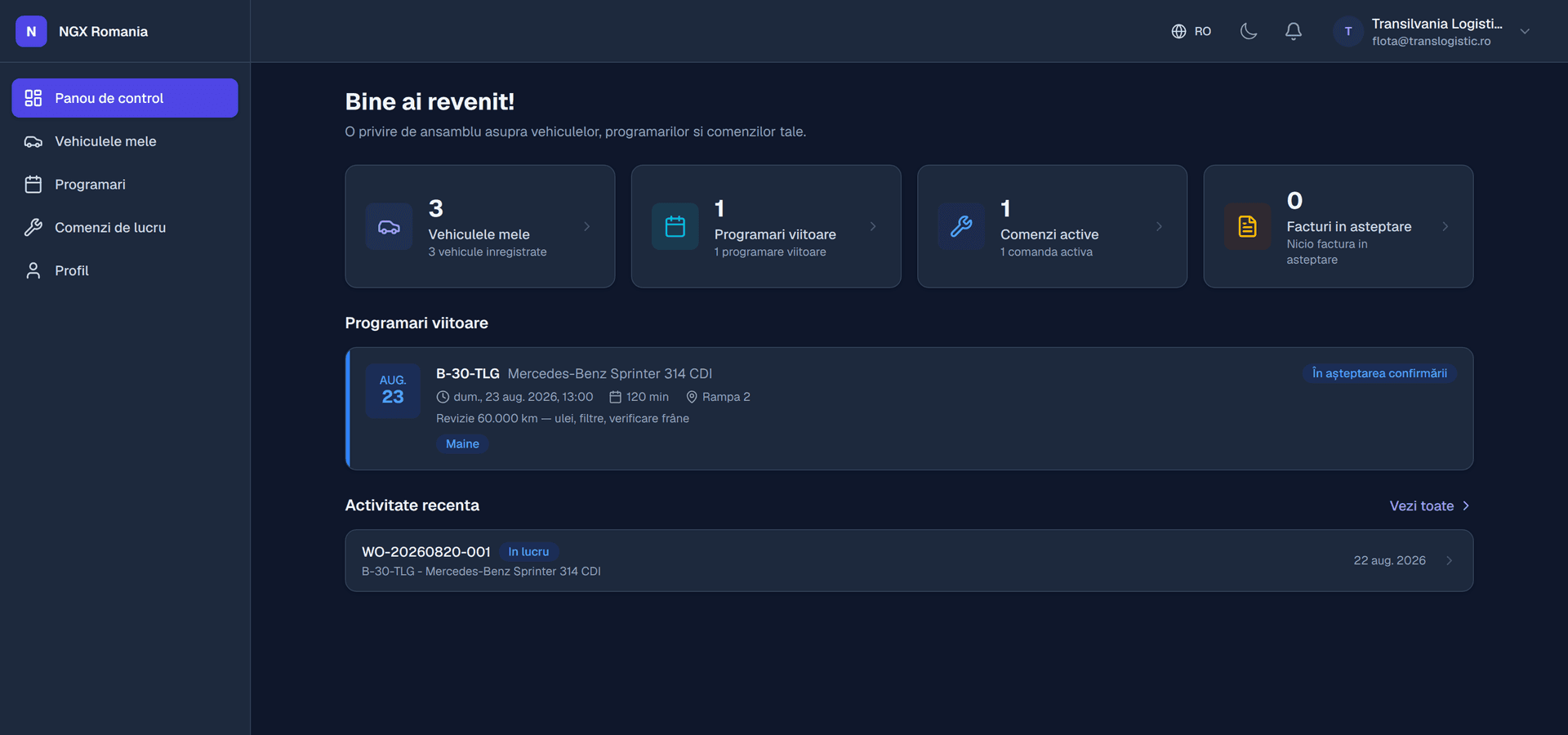
When a customer runs 40 vehicles, the conversation is no longer about one repair but about availability. History per vehicle, centralised invoicing and dispatcher access to job status change the relationship entirely.
What it solves
The problems of a fleet workshop
- The dispatcher calls daily about the status of five vehicles
- Invoices are issued per job instead of centrally
- You have no complete history for a vehicle in the fleet
- Service and inspection deadlines slip through
- Roadside work never reaches the records
- The margin on a contract is nowhere to be seen
The right flow
What a job looks like at your shop
- 01
Vehicles per customer
The whole fleet under one company, with history for each.
- 02
Service planning
Interventions planned, not improvised.
- 03
Roadside work
The mechanic records it from a phone, even away from the shop.
- 04
Dispatcher access
They see job status without calling.
- 05
Centralised invoicing
Per company, with the detail per vehicle.
Recommended modules
Where to start
- Workshop management
Bay calendar, work orders, statuses, QR job sheet.
- Estimates and approval
The customer's agreement, recorded with date and time.
- Invoicing and e-invoicing
Invoice from the order, submitted to the tax authority.
- Customer portal
The customer sees their jobs and approves the estimate.
- Document generator
Your forms, built by you.
Frequently asked questions
What does the customer see in the portal?
Their vehicles, work orders with current status, the estimate awaiting approval, documents to download, service history and messages with the workshop. It is their account, with their data, so they do not have to call and ask how the car is doing.
Is my data separated from other companies?
Yes. Each organisation has its own data — customers, vehicles, work orders, invoices, files — and a user only sees the organisations they belong to. If you run several locations you can keep separate organisations and switch between them from the header.
Is the invoice created automatically from the work order?
Yes. From a completed order you press Generate invoice and the parts and labour move across with quantities, prices and VAT. Nothing is retyped, and the invoice stays linked to the order.
What reports do I get?
Dashboards with workshop indicators — open jobs, revenue, vehicles in the shop, productivity — plus a query builder for your own views, which you can save and return to.
Can I connect NGX to other software?
Yes. The app sends webhooks on important events — order created, status changed, invoice issued — and exposes API keys for external systems, so you can connect accounting, a CRM or any service of your own.
See the configuration that fits you
We open a demo account and show you what the flow looks like in your specific case.