The customer flow
The estimate approved before the first spanner turns.
No surprises at handover. The customer receives the estimated total, with every part and every hour of labour, and decides whether the job goes ahead.
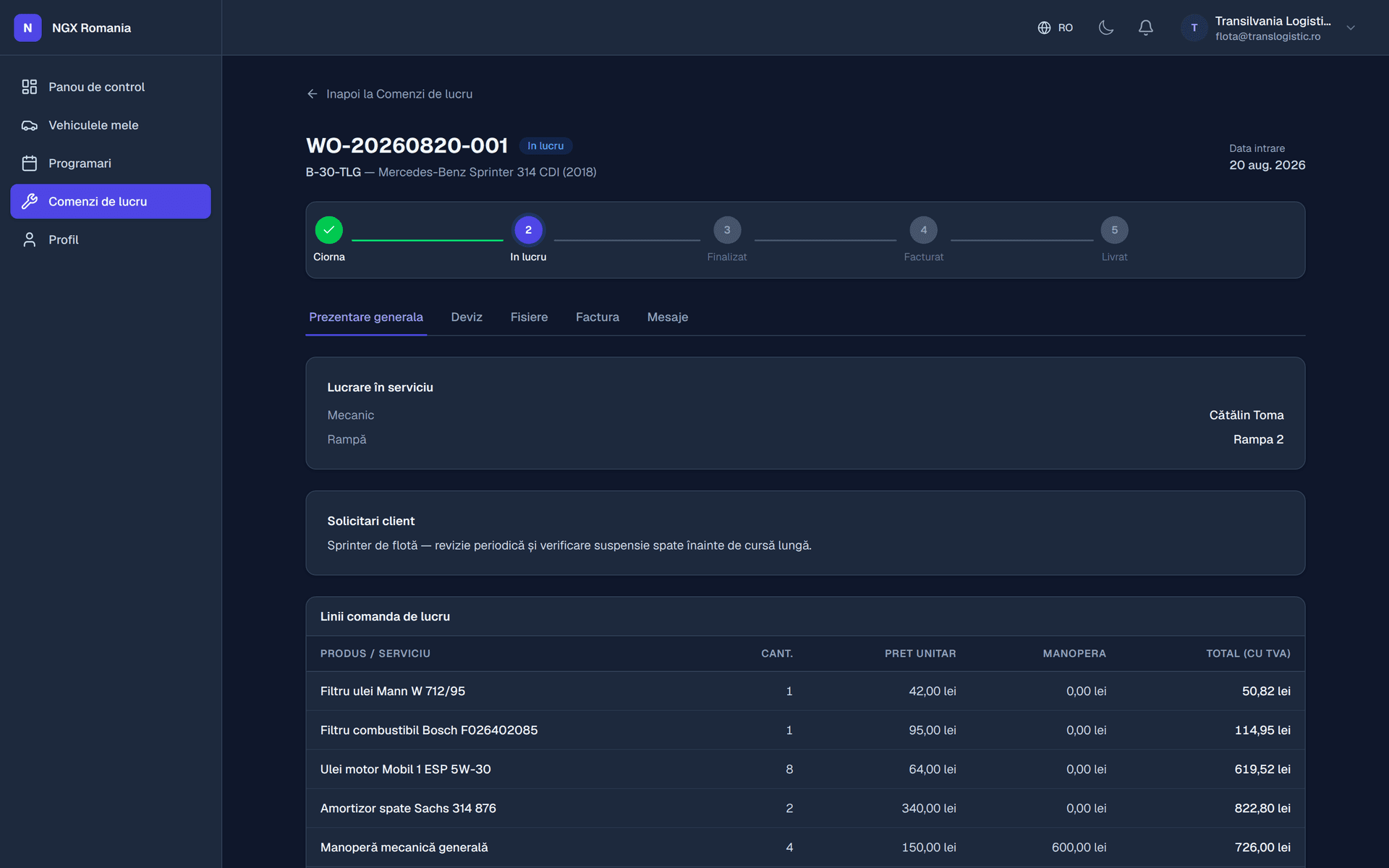
The flow
From inspection to agreement
- 01
The inspection
The mechanic adds parts and labour to the work order, from a phone.
- 02
The estimated total
The app calculates the estimate from the lines entered, VAT included.
- 03
Sending it
The order moves to awaiting customer and the estimate goes out.
- 04
The decision
The customer approves or declines. The decision is recorded with date and time.
- 05
Carrying on
After approval the job continues, with the agreement on record.
Extra work
What to do when something else turns up
It happens constantly: you take the wheel off and find something else. You add the new lines to the order and send the estimate for approval again.
The customer sees clearly what changed from the first version. You have their agreement before continuing, and at handover there is no argument about what was agreed.
- Revised estimate The same lines, plus what came up. No new document to prepare.
- A history of decisions Every send and every answer stays in the work order history.
- No arguments at the desk The final amount matches what the customer approved.
Deposits
Money taken before the invoice exists
For expensive parts ordered specially, you can take a deposit directly on the work order, before there is an invoice.
The deposit automatically becomes the first payment on the final invoice, so you keep no separate records and never risk forgetting that part of it is already paid.
- Recorded on the order Before the invoice is issued.
- Links itself to the invoice The first payment is already there on the final document.
What changes
Estimates by phone versus estimates in the app
How the customer learns the price
- By phone
- You explain it by phone, if they answer.
- With NGX
- They see it itemised, when they can.
Proof of agreement
- By phone
- Your word against theirs.
- With NGX
- An approval recorded with date and time.
Extra work
- By phone
- Another call, another conversation.
- With NGX
- A revised estimate, approved separately.
Time to a decision
- By phone
- Hours, sometimes a day.
- With NGX
- Usually minutes.
At handover
- By phone
- You explain the total all over again.
- With NGX
- The total is the one they approved.
| Estimates by phone versus estimates in the app | By phone | With NGX |
|---|---|---|
| How the customer learns the price | You explain it by phone, if they answer. | They see it itemised, when they can. |
| Proof of agreement | Your word against theirs. | An approval recorded with date and time. |
| Extra work | Another call, another conversation. | A revised estimate, approved separately. |
| Time to a decision | Hours, sometimes a day. | Usually minutes. |
| At handover | You explain the total all over again. | The total is the one they approved. |
Frequently asked questions
How does the customer approve an estimate?
When the order moves to awaiting customer, the estimated total goes out to them. They see it in the portal or through the link they received, with parts and labour itemised, and approve or decline. The approval is recorded with date and time.
What happens if extra work turns up?
You add the new lines to the order and send the estimate for approval again. The customer sees exactly what changed compared with the first version, and you have their agreement before continuing — no arguments at handover.
Can I take a deposit before invoicing?
Yes. A deposit is recorded on the work order before the invoice exists and automatically becomes the first payment on the final invoice, so you do not have to track it separately.
How does a job move from reception to handover?
The appointment becomes a work order, the order goes into progress, parts and labour are added, and once the total is ready it moves to awaiting customer for estimate approval. After approval it is completed, the invoice is generated, payment is recorded and the order is handed over. Every step leaves a trace in the history.
Send a test estimate in the demo
Walk the whole flow: work order, parts and labour lines, estimate sent, approval from the customer's side.