Multi-brand workshop
The general garage, with every bay under control.
You work on any make, your customers return for every service, and the flow never stops. NGX holds the bay calendar, the job sheets and the history of every car, so nothing depends on anyone's memory.
What it solves
The problems of a general garage
- You cannot tell which bay is free without walking over to look
- A car's history is scattered across old receipts
- Estimates are given by phone and then forgotten
- Parts get fitted without leaving the records
- Invoicing happens in the evening, retyping everything
- The customer calls three times a day to ask if it is ready
The right flow
What a job looks like at your shop
- 01
Booking on a bay
With the right mechanic for the type of work.
- 02
Inspection
The mechanic records what they found, from a phone.
- 03
Estimate approved
The customer decides before you start.
- 04
Invoice from the order
Parts and labour carry across without retyping.
- 05
History per vehicle
The next visit starts from what you already know.
Recommended modules
Where to start
- Workshop management
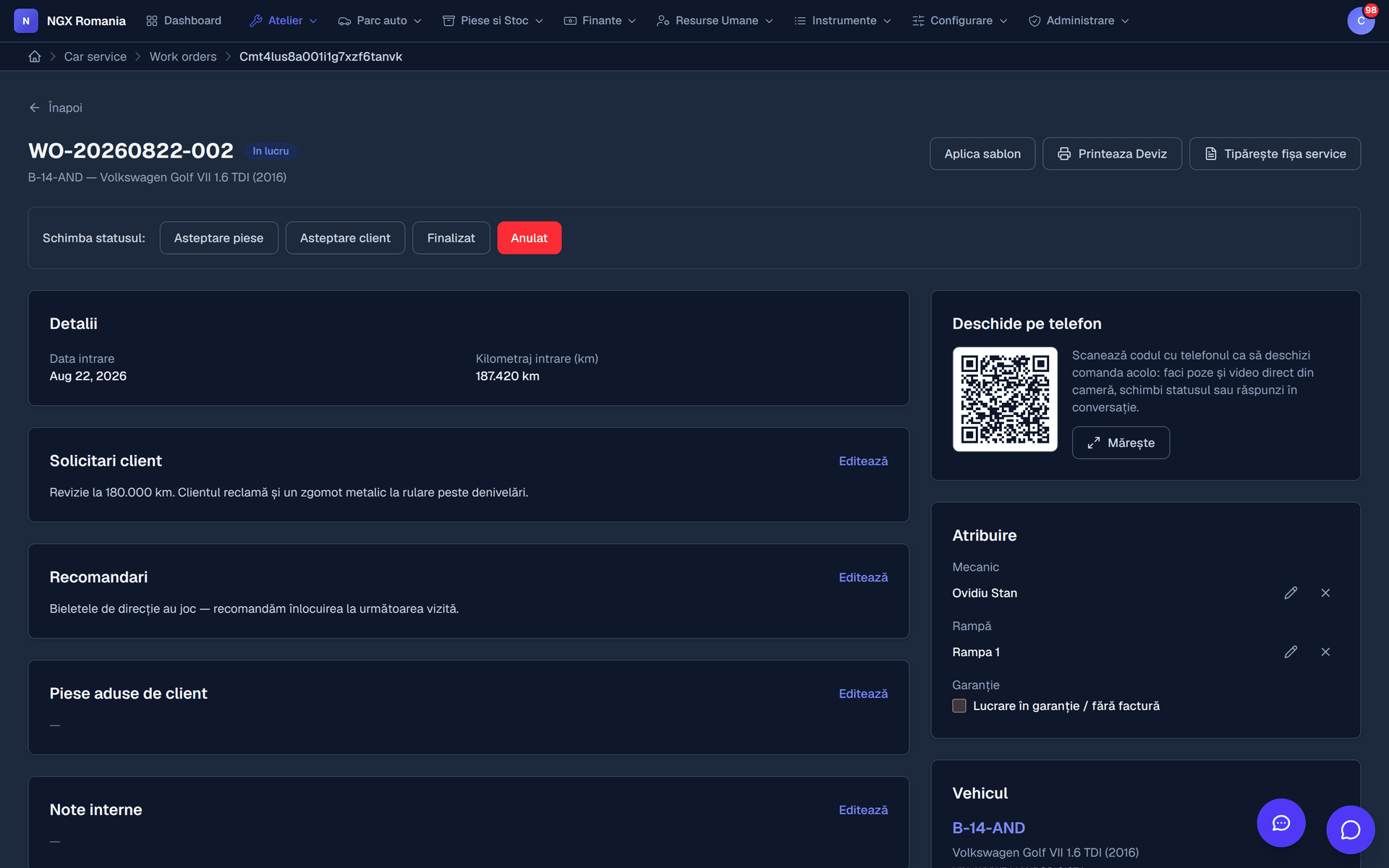
Bay calendar, work orders, statuses, QR job sheet.
- Estimates and approval
The customer's agreement, recorded with date and time.
- Invoicing and e-invoicing
Invoice from the order, submitted to the tax authority.
- Customer portal
The customer sees their jobs and approves the estimate.
- Document generator
Your forms, built by you.
Frequently asked questions
What do appointments look like?
A calendar with one column per bay, where an appointment occupies the interval reserved for a vehicle. You see at a glance which bay is free, move appointments by dragging, and when the car arrives you turn the appointment into a work order with a single button.
How does a job move from reception to handover?
The appointment becomes a work order, the order goes into progress, parts and labour are added, and once the total is ready it moves to awaiting customer for estimate approval. After approval it is completed, the invoice is generated, payment is recorded and the order is handed over. Every step leaves a trace in the history.
How does the customer approve an estimate?
When the order moves to awaiting customer, the estimated total goes out to them. They see it in the portal or through the link they received, with parts and labour itemised, and approve or decline. The approval is recorded with date and time.
Is the invoice created automatically from the work order?
Yes. From a completed order you press Generate invoice and the parts and labour move across with quantities, prices and VAT. Nothing is retyped, and the invoice stays linked to the order.
How do I keep track of parts?
Parts enter inventory from supplier invoices through goods receipt notes, and leave automatically when added to a work order. You get stock movements, inventory adjustments and internal consumption notes, so the quantities in the app match the shelf.
See the configuration that fits you
We open a demo account and show you what the flow looks like in your specific case.