Tyre shop
The tyre season, without queues or confusion.
For two months a year you do what others do in twelve. Online bookings take the pressure off the phone, quick job sheets keep the pace, and the storage records tell you exactly whose tyres are on which shelf.
What it solves
The problems of a tyre shop in season
- The phone rings constantly and nobody gets to work
- Bookings overlap on the same bay
- You do not know whose tyre set is in storage
- Jobs are short but the paperwork takes longer than the work
- Customers return next season and you no longer know what they had
- Small invoices pile up and go missing
The right flow
What a job looks like at your shop
- 01
Online booking
The customer picks a slot, you stop answering the phone.
- 02
Quick job sheet
Short job, short form.
- 03
Set in storage
Stored tyres tied to the customer and the vehicle.
- 04
Invoice on the spot
Issued in seconds, with your own series.
- 05
Seasonal reminder
The customer is told when it is time to change.
Recommended modules
Where to start
- Workshop management
Bay calendar, work orders, statuses, QR job sheet.
- Estimates and approval
The customer's agreement, recorded with date and time.
- Invoicing and e-invoicing
Invoice from the order, submitted to the tax authority.
- Customer portal
The customer sees their jobs and approves the estimate.
- Document generator
Your forms, built by you.
Frequently asked questions
What do appointments look like?
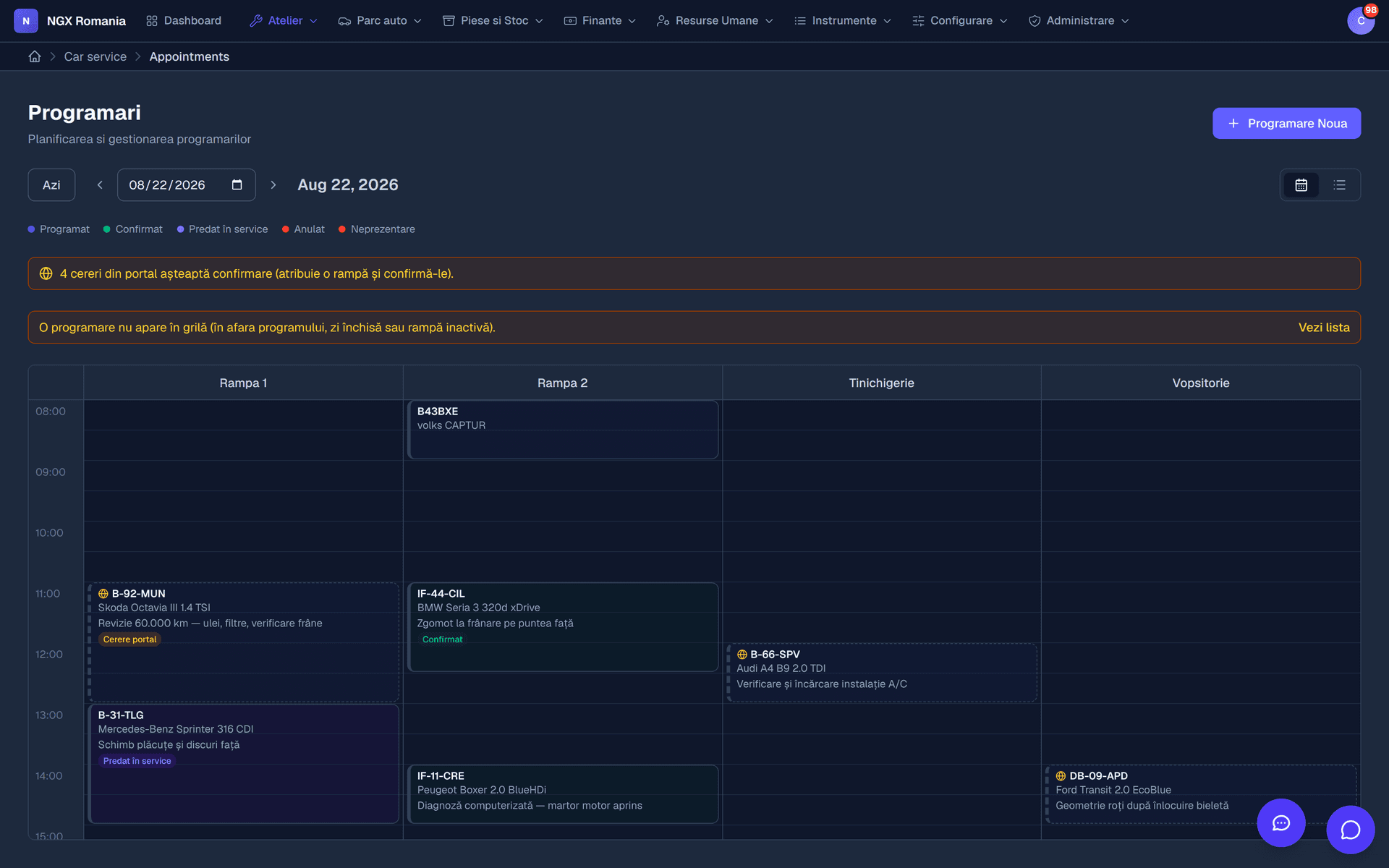
A calendar with one column per bay, where an appointment occupies the interval reserved for a vehicle. You see at a glance which bay is free, move appointments by dragging, and when the car arrives you turn the appointment into a work order with a single button.
Can customers request an appointment from the portal?
Yes. The request reaches reception, who confirms it and places it in the calendar on the right bay. The customer sees the confirmation in the portal, with no phone calls exchanged.
Is the invoice created automatically from the work order?
Yes. From a completed order you press Generate invoice and the parts and labour move across with quantities, prices and VAT. Nothing is retyped, and the invoice stays linked to the order.
How do I keep track of parts?
Parts enter inventory from supplier invoices through goods receipt notes, and leave automatically when added to a work order. You get stock movements, inventory adjustments and internal consumption notes, so the quantities in the app match the shelf.
What is the point of sale for?
For quick counter sales — oil, bulbs, wipers, consumables — without opening a work order. The transaction reduces inventory and enters the financial records like any other sale.
See the configuration that fits you
We open a demo account and show you what the flow looks like in your specific case.