People
Who works, when, and at what rate.
The mechanics defined here are the ones you assign to bays and work orders. Their department's rate is what feeds into labour, so the staff records and the job records support each other.
Modules
What the staff side covers
- Employees and departments
Full records, with department, role and the hourly rate used to price labour.
- Timesheets
Hours worked, by day and by employee.
- Leave
Requests, approvals and remaining days.
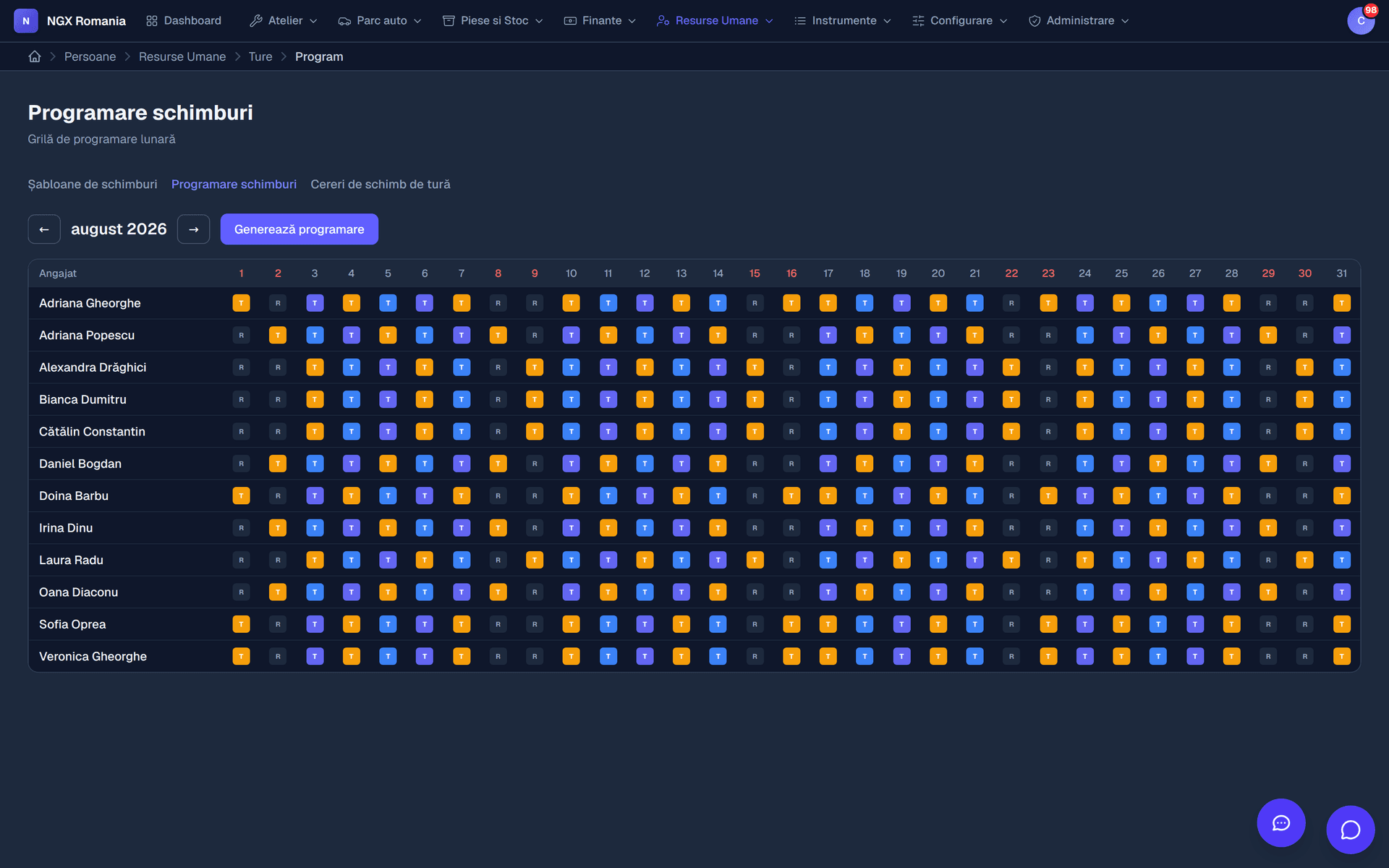
- Shifts
Planning who is on which shift in the workshop.
- Personnel documents
Contracts, job descriptions, certificates.
- Payroll
Calculation elements starting from the timesheet.
The link to the shop floor
A warning, not a block
When you assign a job or create an appointment, the app checks whether the employee is available: if they are on leave or already have work in that interval, it warns you.
It is a warning, not a prohibition. Reality on the shop floor is messier than any rule, and the decision stays with you.
- Checked at assignment leave and overlaps, in one place.
- You can proceed anyway the app informs, you decide.
The link to the money
The department's rate reaches the invoice
Every department carries an hourly rate: mechanical, electrical, diagnostics, bodywork, paint. When a mechanic adds two hours of labour to an order, it is their department's rate that enters the estimate and, later, the invoice.
That closes the loop: the hours logged, the cost of labour and the amount invoiced come from one source, not from three ledgers that have to be reconciled at month end.
- One rate, set once Change it on the department and it applies everywhere.
- Labour is not retyped The hours on the order become lines on the invoice.
- Real cost is visible Compare what you charged with what it cost, per job.
What it covers
The complete staff record
- Employees with contact details, role and department
- Personnel documents, with expiry dates
- Daily attendance and monthly timesheets
- Leave requests, approvals and remaining balances
- Shift templates and month-long shift planning
- Swap requests between colleagues
- Payroll elements, starting from the timesheet
- Probation periods coming to an end
Frequently asked questions
What does the staff module cover?
Employees and departments with hourly rates, personnel documents, timesheets, shifts, leave requests and payroll elements. The mechanics defined here are the ones you assign to bays and work orders.
Does the app warn me if a mechanic is on leave?
Yes. When you assign a job or create an appointment, the app checks the employee's availability and warns you if they are on leave or already busy. It is a warning, not a block — the decision stays yours.
Can I see how much I make on a job?
Yes. Because the purchase price comes from the supplier invoice and labour comes from the department's hourly rate, you can compare revenue with real cost on every work order.
Can I limit what each employee sees?
Yes. There are global roles, from administrator down to viewer, plus roles within the company, and rights are granted on concrete permissions: who sees vehicles, who edits work orders, who issues invoices, who reaches settings. A mechanic can be restricted to their own jobs, without seeing purchase prices or invoices.
See the staff records in the demo
With test employees, timesheets and the link to work orders.