Finance
The invoice comes out of the job, not out of another program.
Press Generate invoice on a completed order and the parts, labour, quantities and VAT move onto the document. Nothing is retyped and there are no two systems to reconcile.
What it covers
The documents you need
- Fiscal invoice
Issued from a work order or manually, with your own letterhead from your own template.
- Proforma
For customers who pay in advance or need a document first.
- Credit note
Fiscal reversal of an invoice. The work order becomes invoiceable again.
- Payments
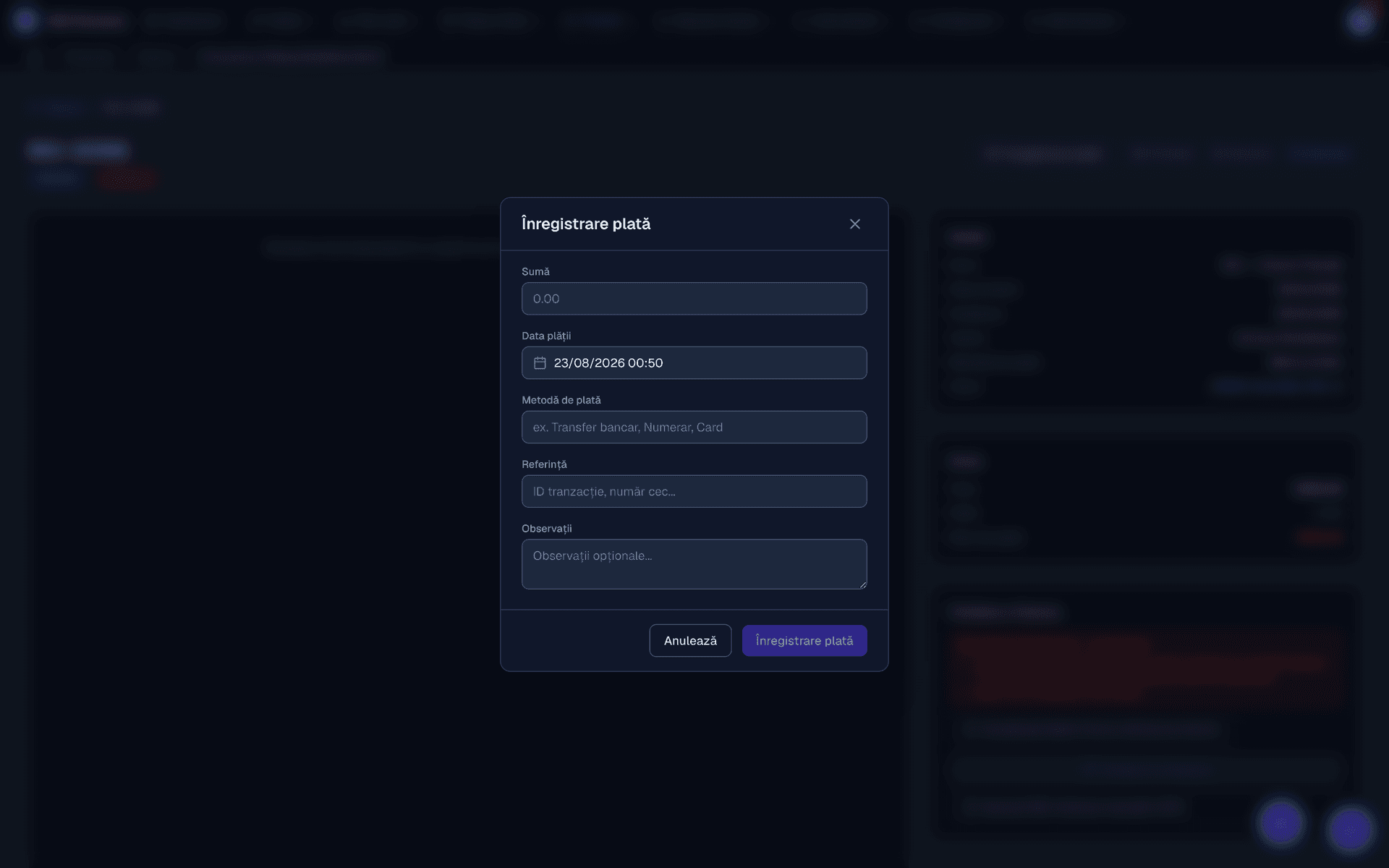
Several payments on the same invoice, with method and date. The balance updates itself.
- Your own series
Prefix and continuous numbering, with the active series marked.
- Customers and products
Customer records with history, a catalogue of parts and services with prices.
From order to invoice
What happens when you press the button
The app first checks the conditions: an active invoice series, a default currency and configured VAT rates. If something is missing, it tells you exactly what.
Then it builds the invoice from the order lines, pulls in the customer with their tax details, applies VAT per line and links the invoice to the work order. Any deposit already taken appears as the first payment.
- No retyping quantities, prices and rates carry across exactly as they were on the job.
- The link is kept you can move from invoice to order and back.
- Deposits apply themselves the first payment is already there when you issue the document.
The output
The document your customer receives
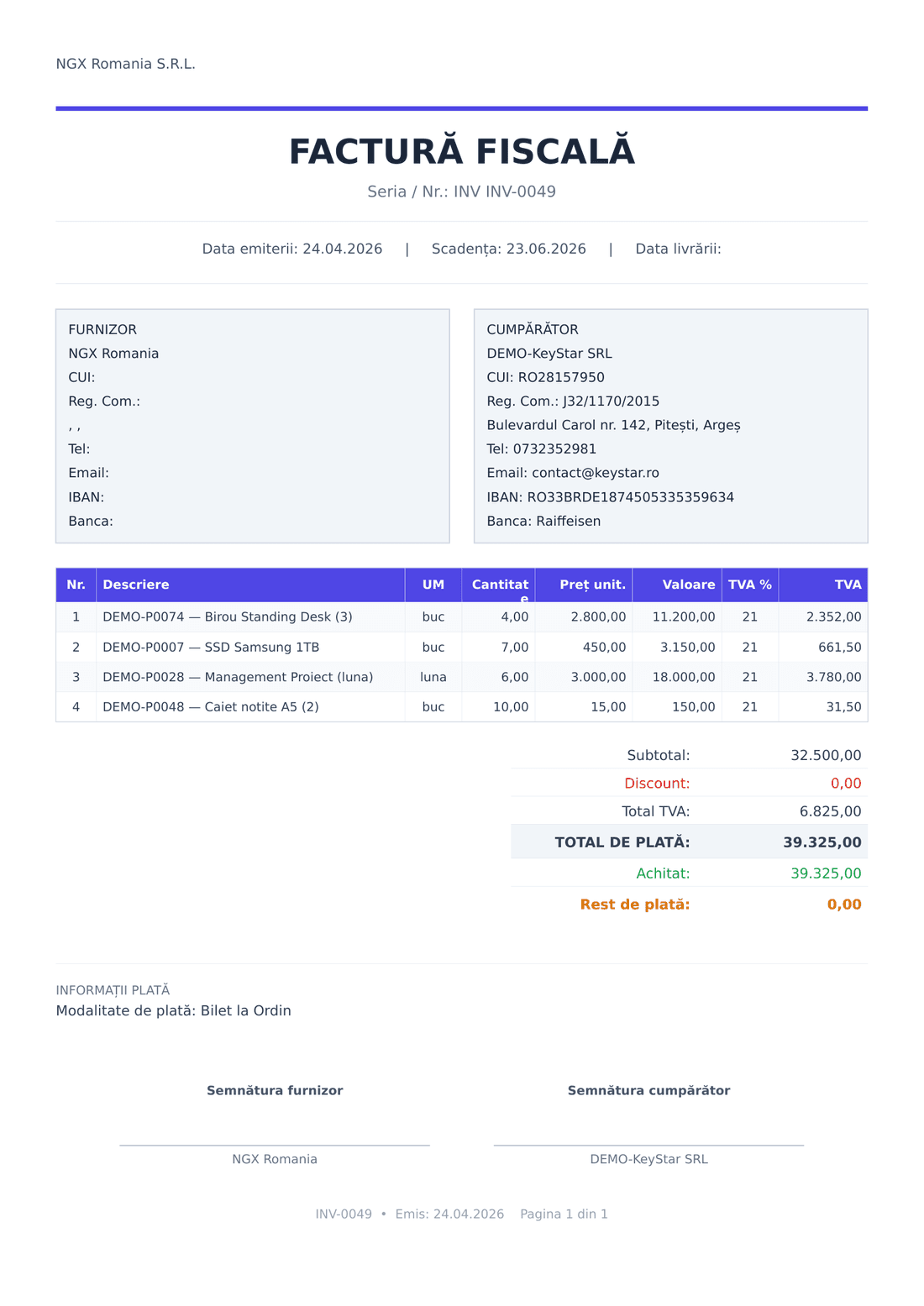
This is the PDF produced by the template above, on a real invoice: your letterhead, the seller and buyer blocks, the VAT lines, the totals and the signatures — all filled in automatically.
Details that matter
What else the finance module holds
- Customer records with every invoice and the current balance
- A catalogue of products and services with your own codes
- VAT rates, units of measure, currencies, payment methods
- Bank accounts printed on the invoice
- Invoices generated automatically from work orders
- List exports for your accountant
- PDF previewed, printed, downloaded or saved to Files
- Clear statuses: issued, partly paid, paid, credited
Frequently asked questions
Is the invoice created automatically from the work order?
Yes. From a completed order you press Generate invoice and the parts and labour move across with quantities, prices and VAT. Nothing is retyped, and the invoice stays linked to the order.
Can I issue proformas and credit notes?
Yes. The app covers fiscal invoices, proformas and credit notes. When you issue a credit note the work order becomes invoiceable again, so you can correct and reissue without leaving data stuck.
How do invoice series work?
You define one or more series, each with its own prefix and numbering, and mark the active one. Numbering is continuous and cannot be bypassed, which keeps your invoices compliant with record-keeping requirements.
Can I record partial payments?
Yes. An invoice can take several payments, each with a date and method, and the balance updates itself. At any moment you can see which invoices are paid in full, partly paid or unpaid.
Issue a test invoice in the demo
The demo account comes with an invoice series and VAT rates already configured.