The team
Work conversations stay next to the work.
Tasks with an owner and a deadline, notes you can actually find again, internal chat on channels, and an assistant that searches your own data for you.
Tools
Four small things that change the day
- Tasks
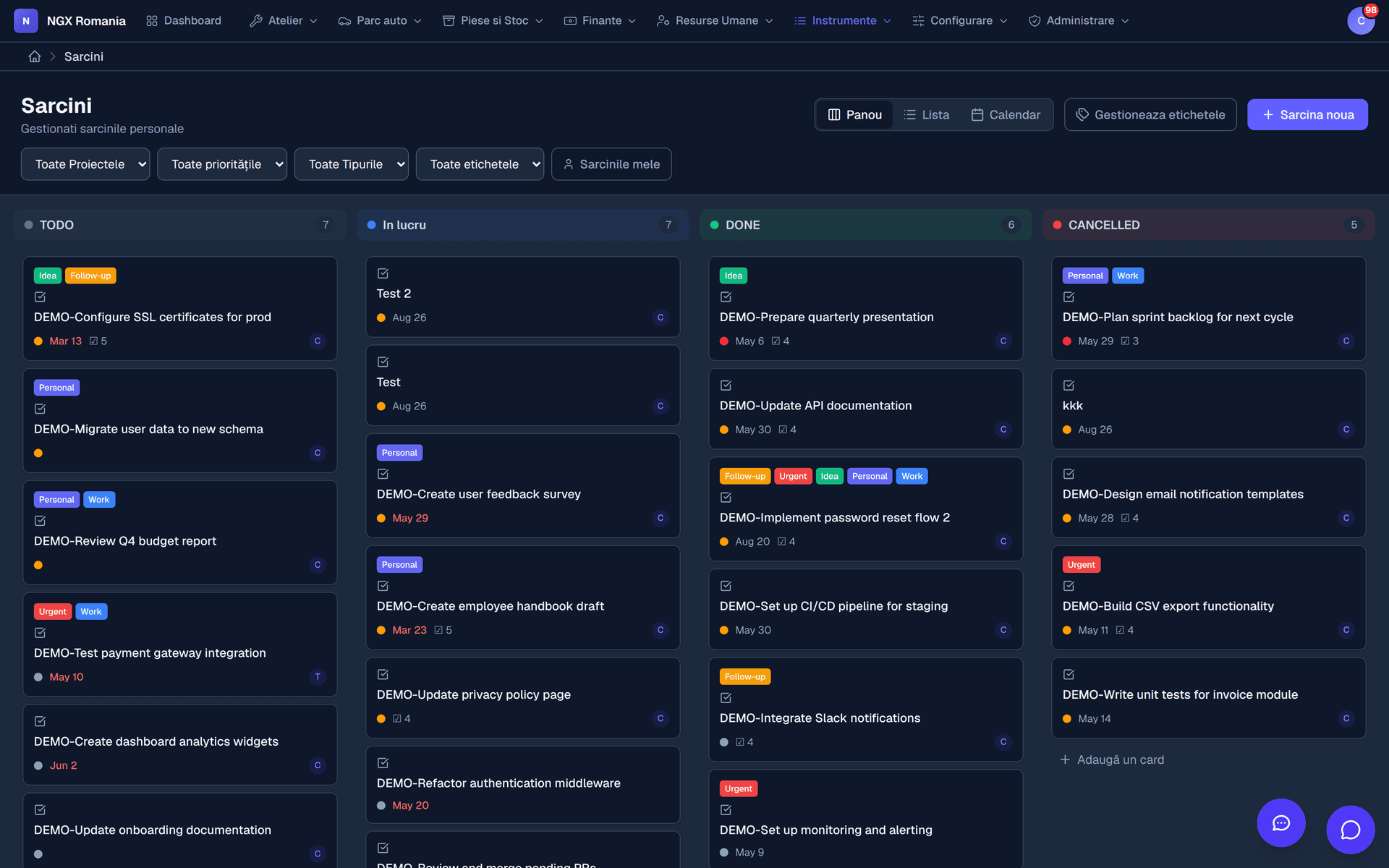
With an owner, deadline, priority and statuses you define yourself.
- Notes
Formatted text, searchable, attached to what you are working on.
- Internal chat
Channels per team or per topic, with history.
- AI assistant
Ask in plain language, get answers from your own data.
- Notifications
What concerns you reaches you, the rest does not.
Tasks
The statuses belong to your workshop
We impose no flow. You define the statuses a task moves through — to order, in the paint booth, waiting on the customer — and mark which of them count as closed.
The same tasks appear as a list, as a Kanban board or on a calendar. Each carries an owner, a deadline, a priority and labels, and what concerns you reaches you as a notification.
- Configurable statuses You are not tied to a flow imposed from outside.
- Three views List, Kanban or calendar, over the same tasks.
- Targeted notifications You get what is assigned to you, not everything that happens.
Chat and assistant
The conversation stays next to the data
Internal chat has channels per team or topic, and direct messages. The difference from a group on a phone is that the conversation sits next to the orders, customers and documents it is about — and it stays when someone leaves the company.
The AI agents live in that same conversation list. You ask them in plain language about your own data, and their usage is logged separately so you know exactly what it costs.
- Channels and direct messages With a history that does not depend on anyone's phone.
- Configurable AI agents Defined by you, with the provider and model you choose.
- Visible consumption A usage log, so the bill is never a surprise.
Notes
What a workshop keeps in notes
- Internal procedures — how a service is done on a particular make
- The quirks of a large customer or a fleet
- Fault codes seen before and what fixed them
- Suppliers, lead times, negotiated prices
- What was agreed on the phone and must be remembered
- Instructions for whoever takes the next shift
Frequently asked questions
Can I connect NGX to other software?
Yes. The app sends webhooks on important events — order created, status changed, invoice issued — and exposes API keys for external systems, so you can connect accounting, a CRM or any service of your own.
Do customers receive automatic notifications?
Yes. There are automatic emails for the important events — appointment confirmed, estimate sent for approval, job completed — and the wording can be customised for your company.
Can I limit what each employee sees?
Yes. There are global roles, from administrator down to viewer, plus roles within the company, and rights are granted on concrete permissions: who sees vehicles, who edits work orders, who issues invoices, who reaches settings. A mechanic can be restricted to their own jobs, without seeing purchase prices or invoices.
How secure is my data?
Access is per individual account, with roles and permissions, optional two-factor authentication, account lockout after repeated sign-in attempts and an audit log of important actions. Every significant change is recorded, with author and timestamp.