Car service software
The car goes on the lift Monday. The invoice is filed Tuesday.
NGX holds the whole workshop in one place: the bay calendar, the work order your mechanic opens with the QR code on the windscreen, the estimate the customer approves from their phone, the invoice and the electronic submission to the tax authority.
- For
- Workshops with 2–20 bays: multi-brand, tyres, body and paint.
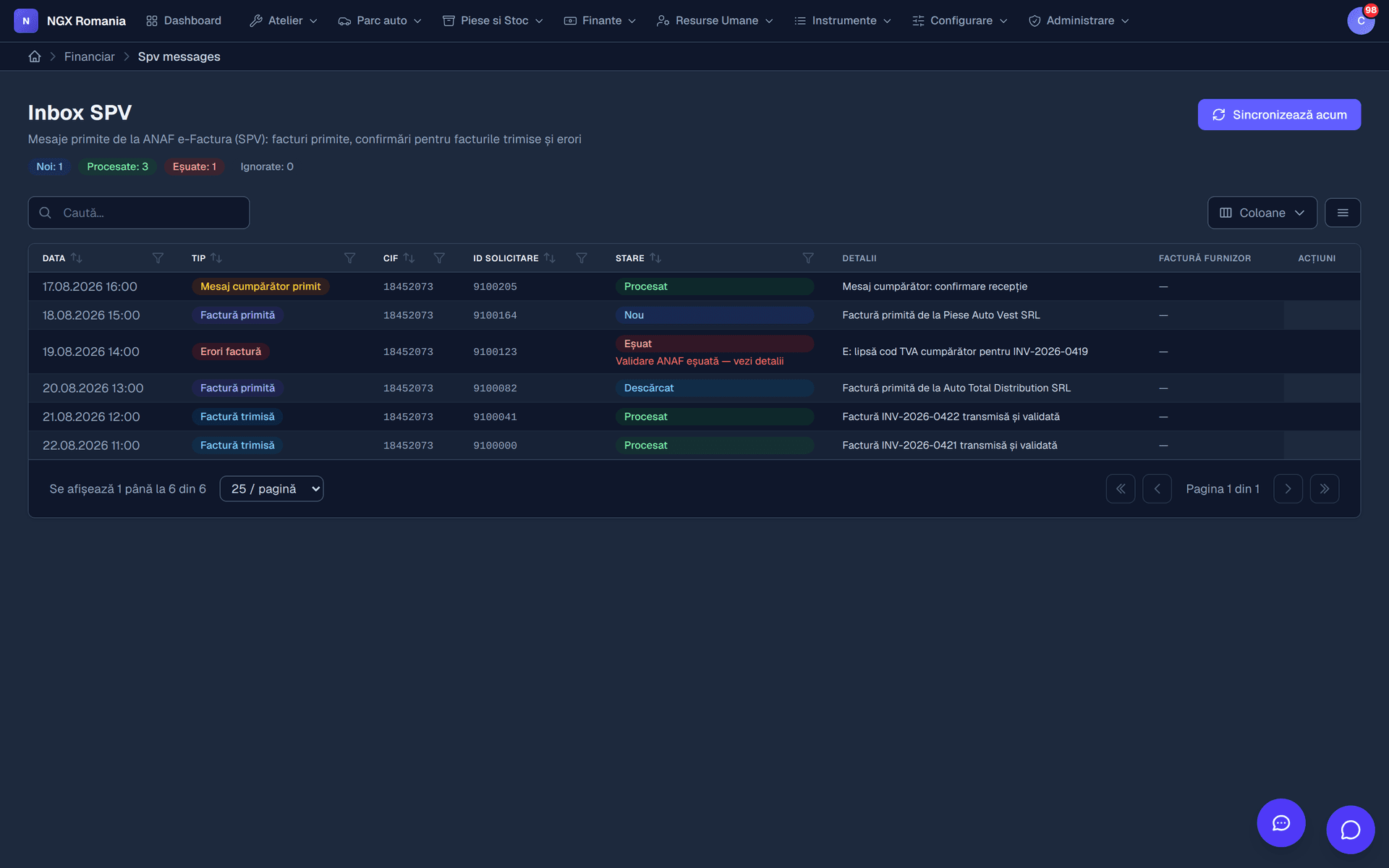
- e-Invoicing
- Filed to the Romanian SPV straight from the work order.
- Getting started
- A demo account with real data, the same day.
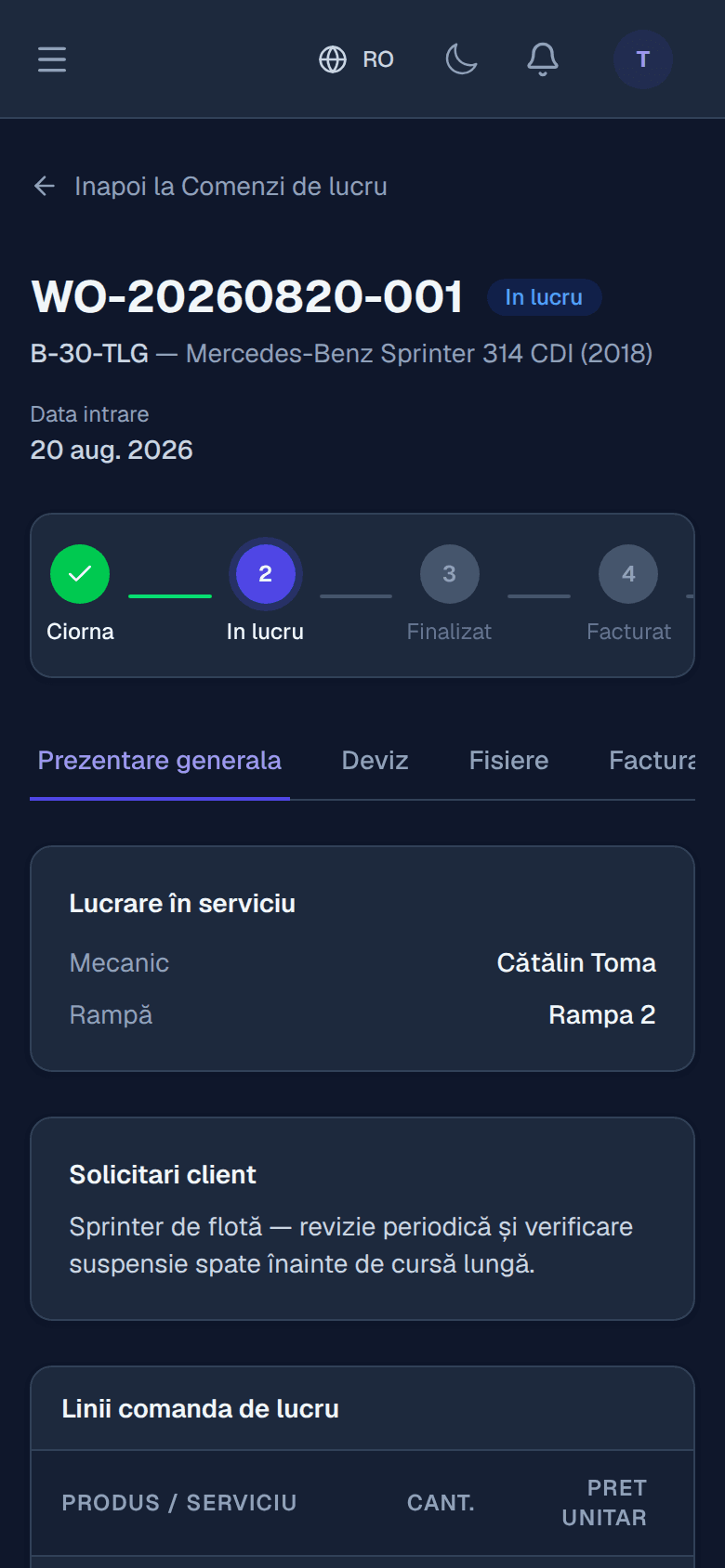
The daily flow
Five steps, one application
Every step leaves a trace in the history and the customer is kept informed automatically. Nobody has to ask where a car got to.
- 01
Appointment
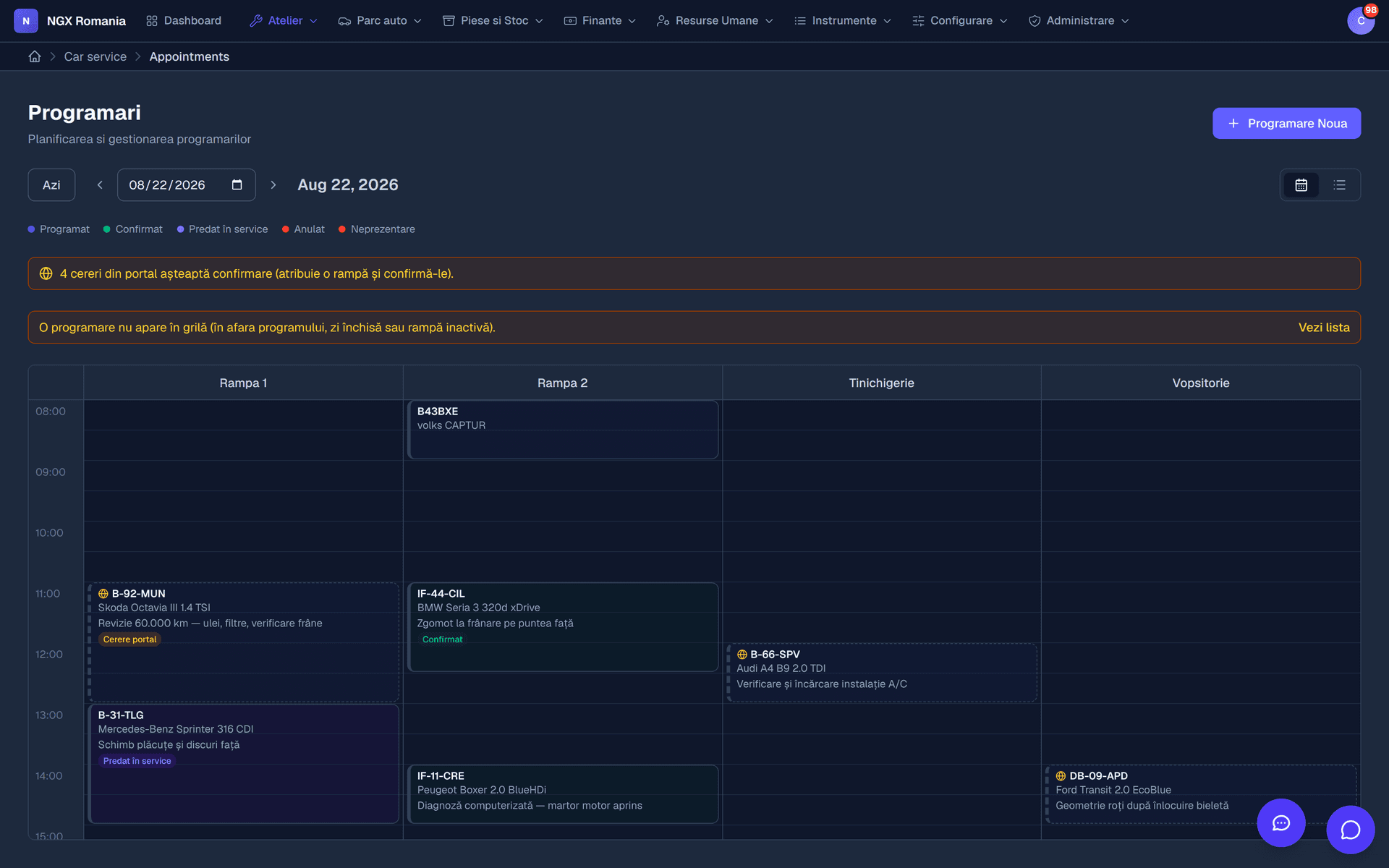
Reserve the slot on the right bay, with the mechanic who will take it. The calendar shows instantly which bay is free.
- 02
Work order
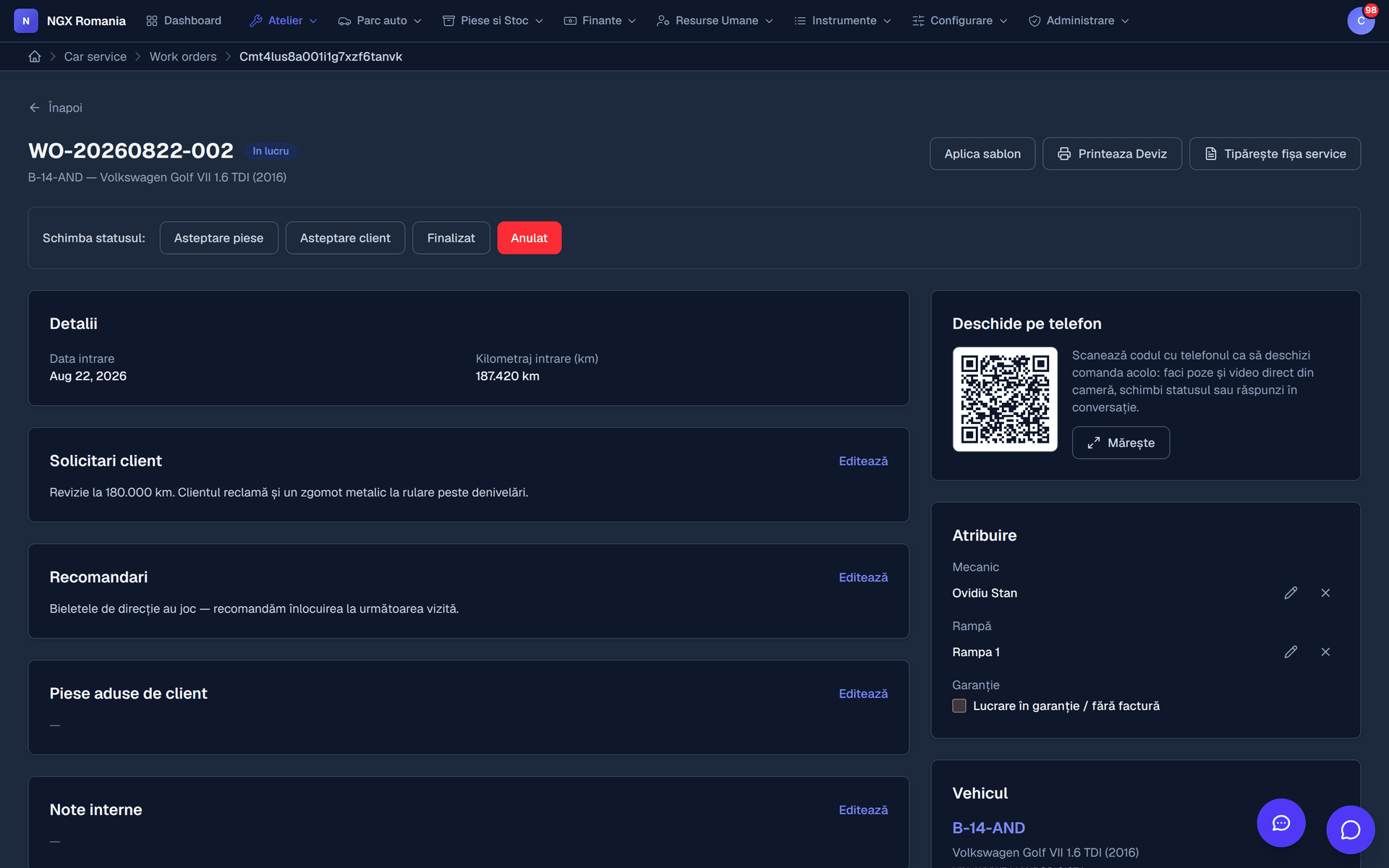
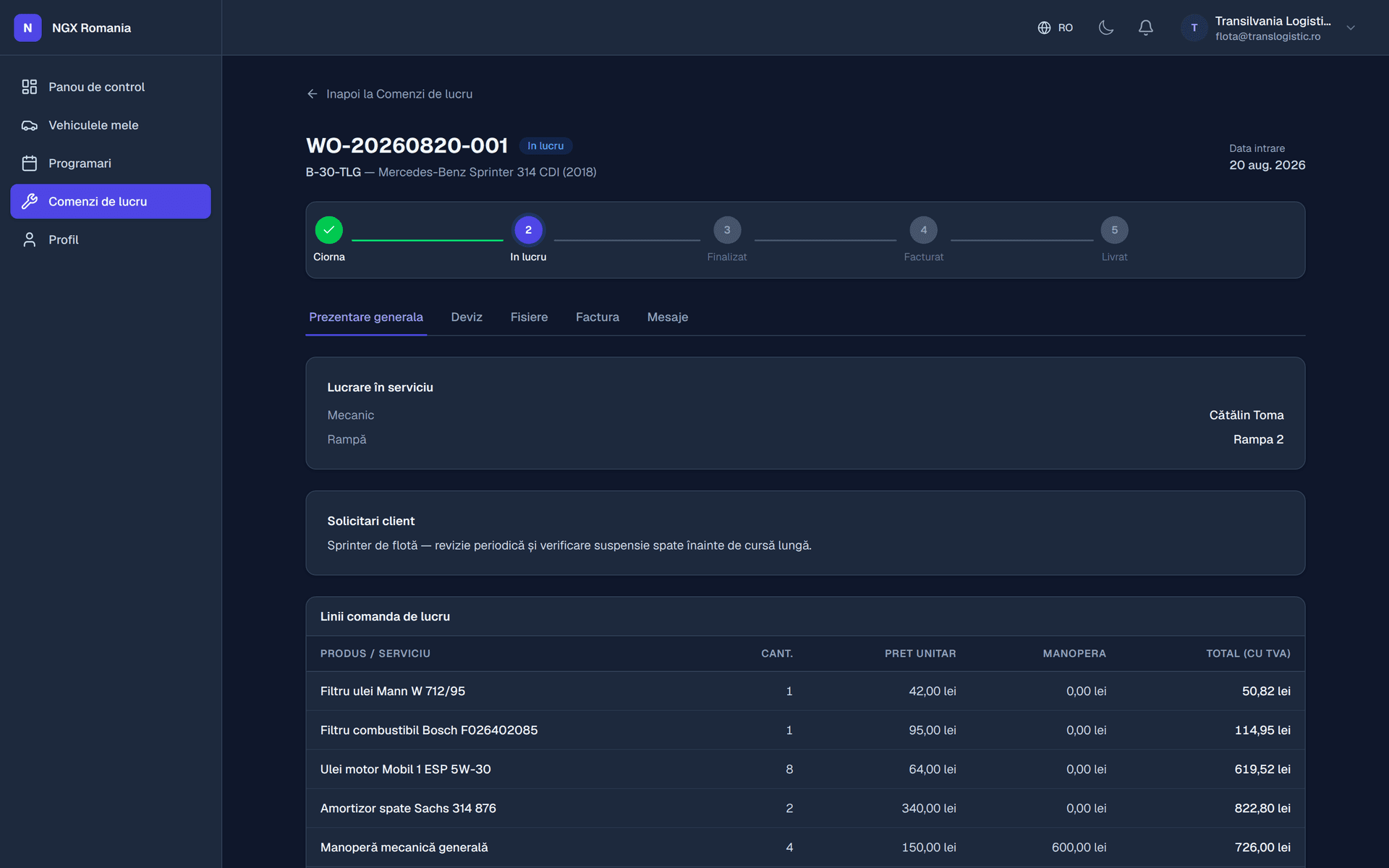
The appointment becomes a job sheet. The mechanic works from a phone, through the QR code on the windscreen.
- 03
Estimate approved
The estimated total goes to the customer, who approves or declines. The decision is recorded with date and time.
- 04
Invoice and payment
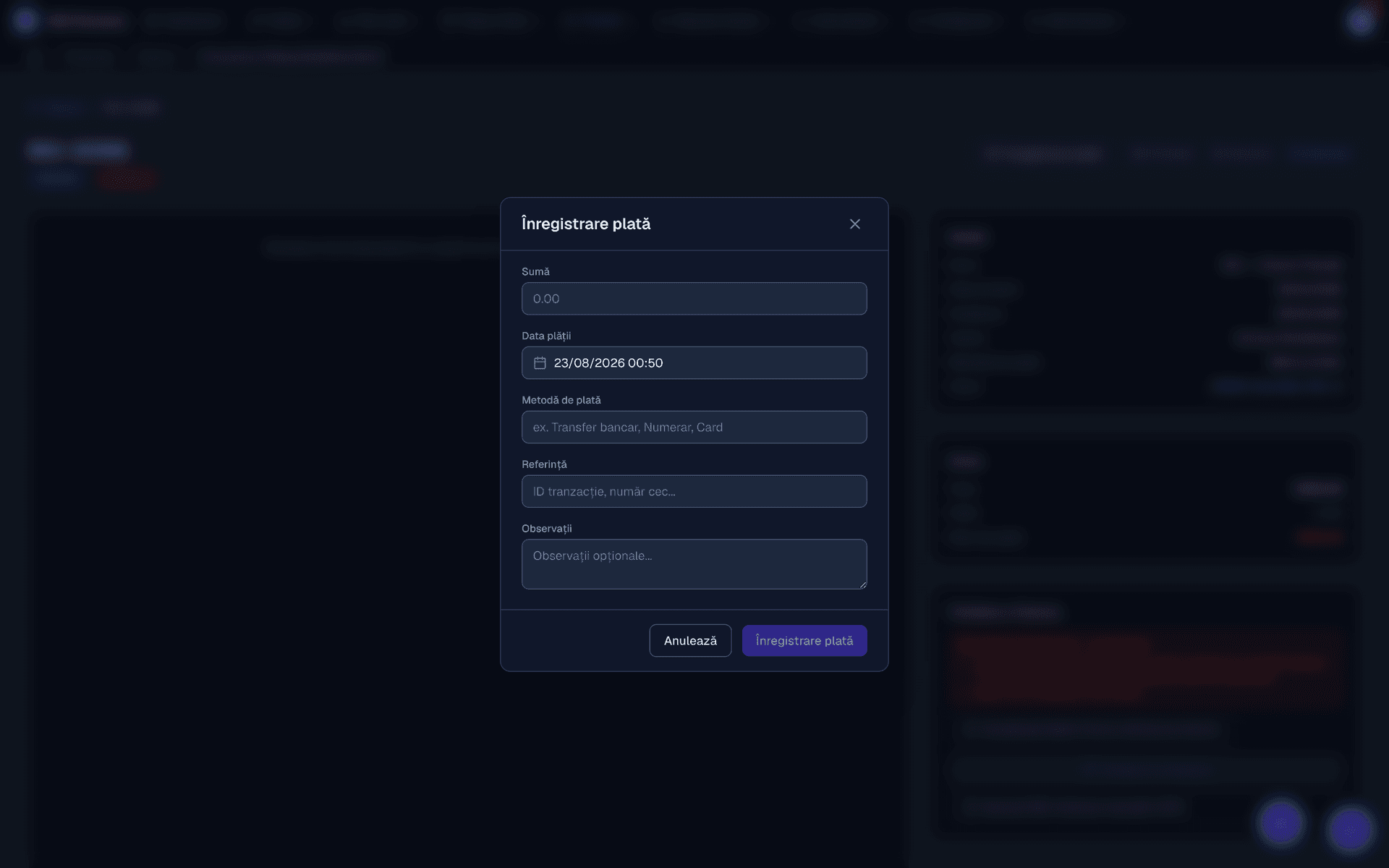
Parts and labour move onto the invoice without retyping. A deposit becomes the first payment automatically.
- 05
e-Invoicing
The invoice is submitted to the tax authority from the app, with its state visible on the document.
On the shop floor
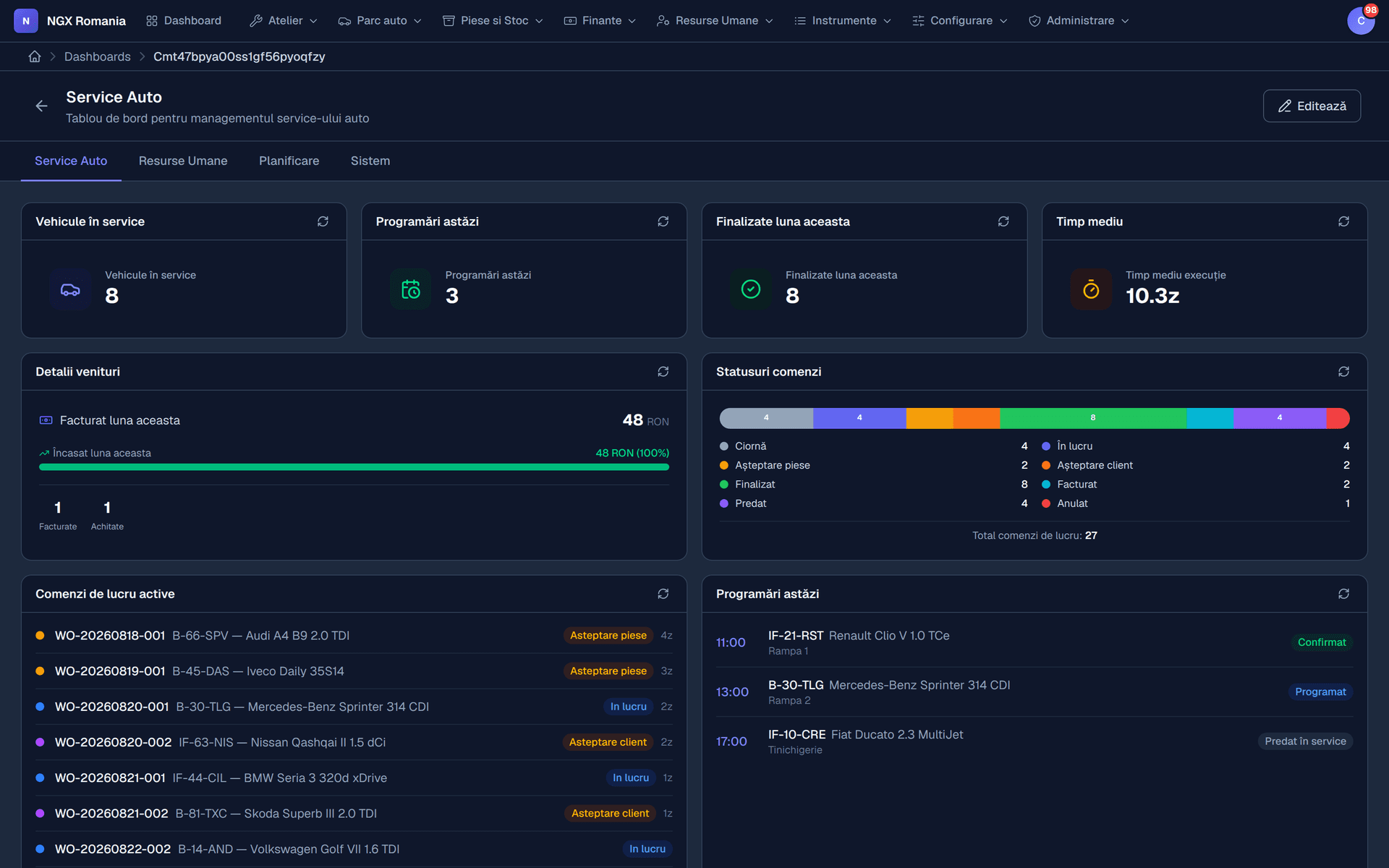
The workshop dashboard and the job sheet
The calendar shows which bay is free and who is working. The work order holds parts, labour, statuses and the QR code the mechanic uses to open the job on a phone.
The flagship
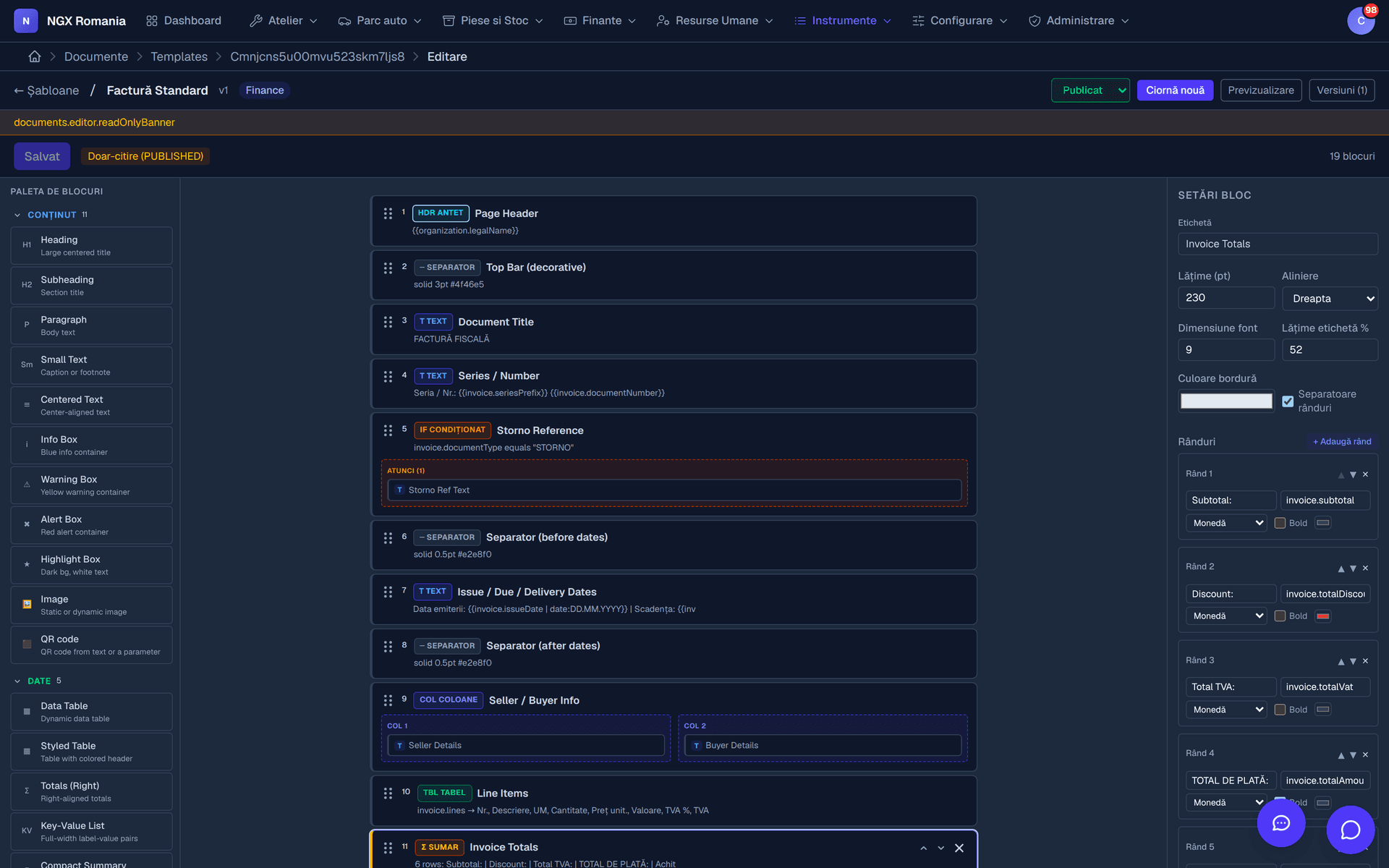
The document generator: any PDF, built by you
Every workshop has its own forms. Instead of asking a developer for a change each time, you build your documents yourself in a block editor: text, table, image, totals, signature, header and footer.
Inside the text you insert parameters that fill themselves in with real data — customer name, registration number, invoice total, order reference. The document comes out with your letterhead, not ours.
- Block editor Add, move and configure visually. No code, no development requests.
- Automatic parameters Customer, vehicle, work order, invoice, company — all available as variables.
- Draft and published version Work on a new variant while the workshop keeps printing the current one.
Your own website
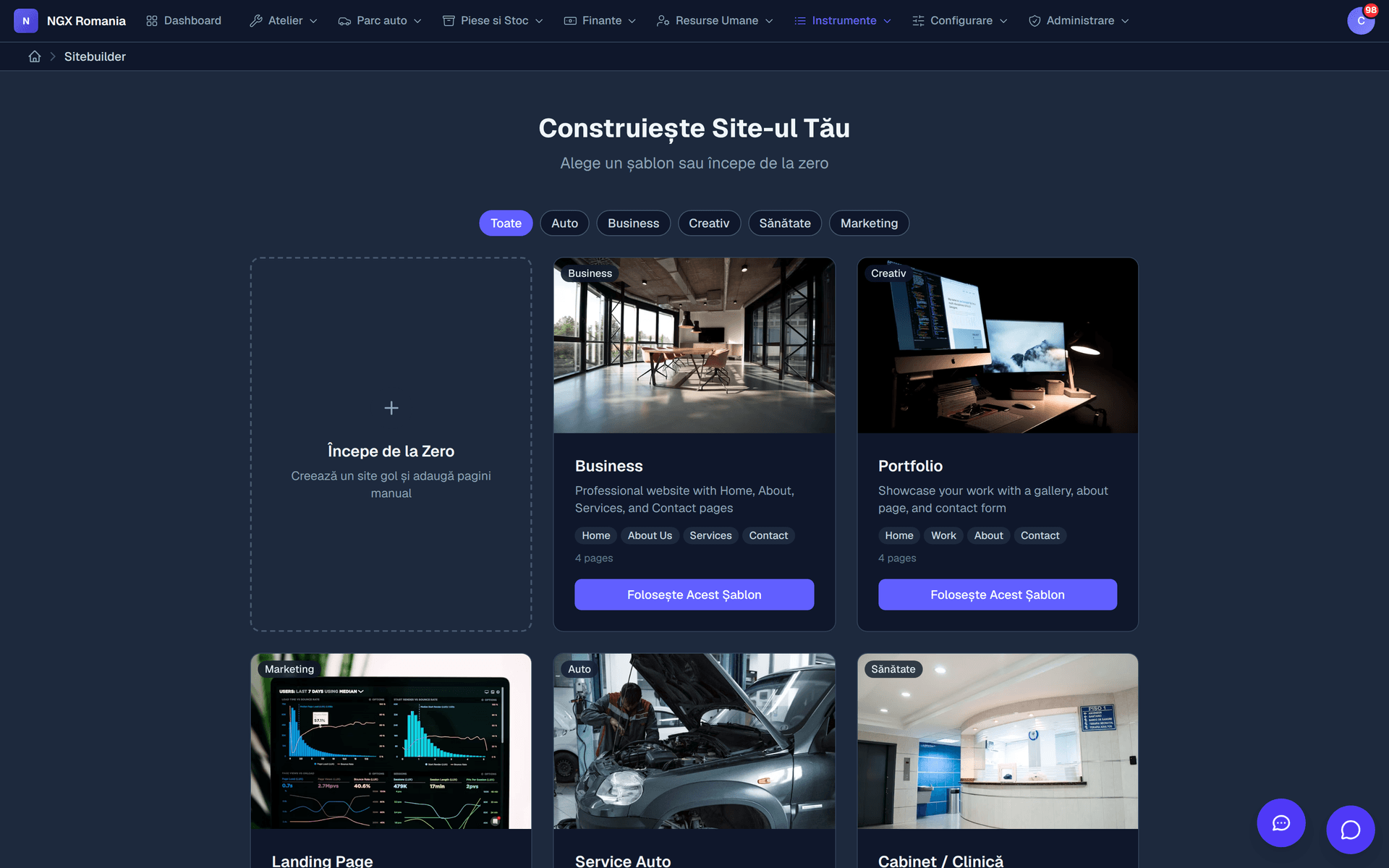
Your workshop's site, built by you, in the same app
You do not need a web agency for a decent online presence. NGX includes a public website builder: pages, content blocks, header and footer, contact form, SEO settings and visitor statistics.
Messages from the form arrive in the app, not in a mailbox nobody reads — and they can become appointments or support tickets.
- Pages from blocks Services, team, prices, contact — built from the same blocks, without code.
- Forms that reach the right place Every message lands in the app and can become an appointment.
- Statistics included See which pages get read and where visitors come from.
Modules
Everything that keeps a workshop standing
Enable only what you use. The menu shows only the modules you switched on, so the app never turns into a maze.
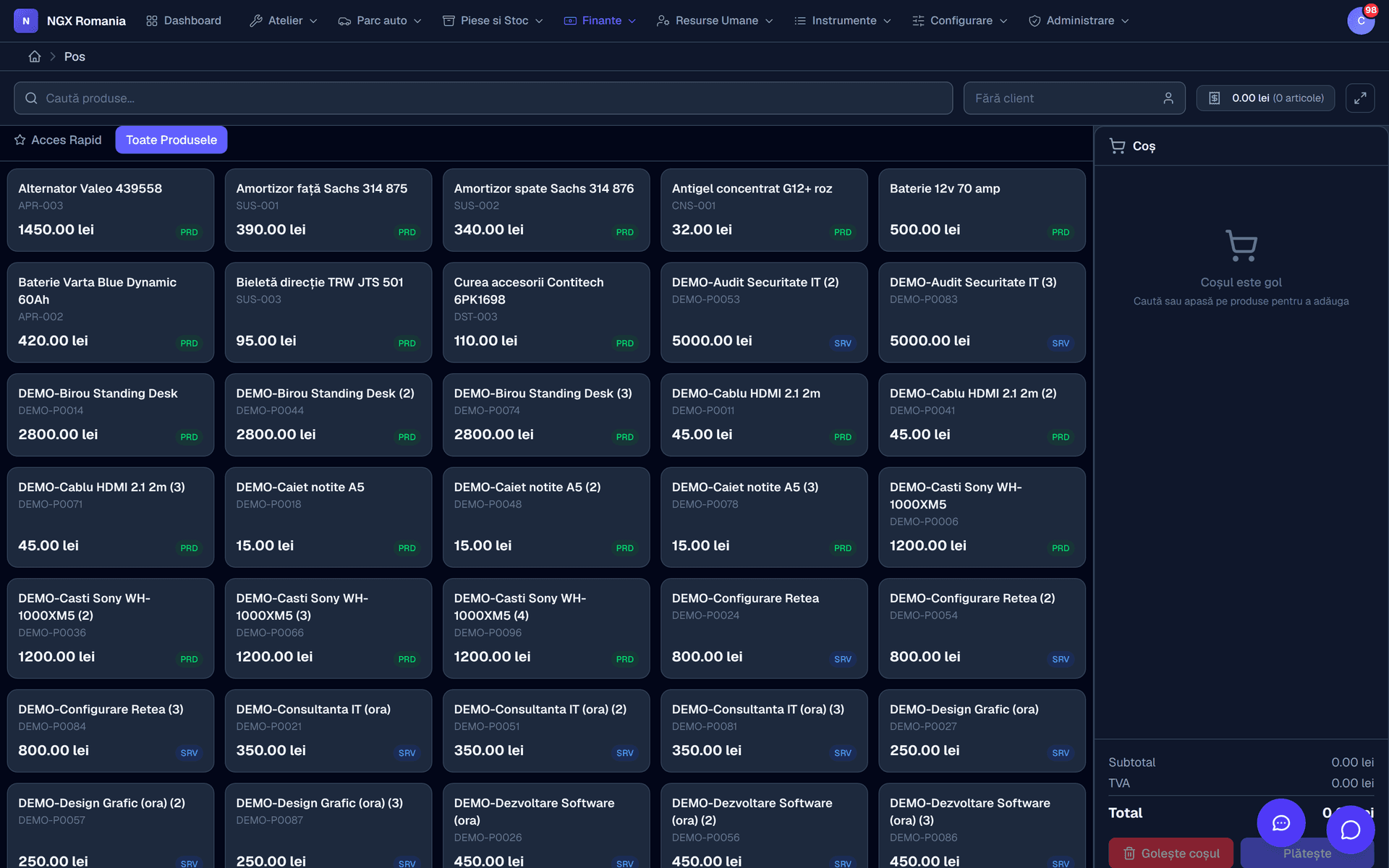
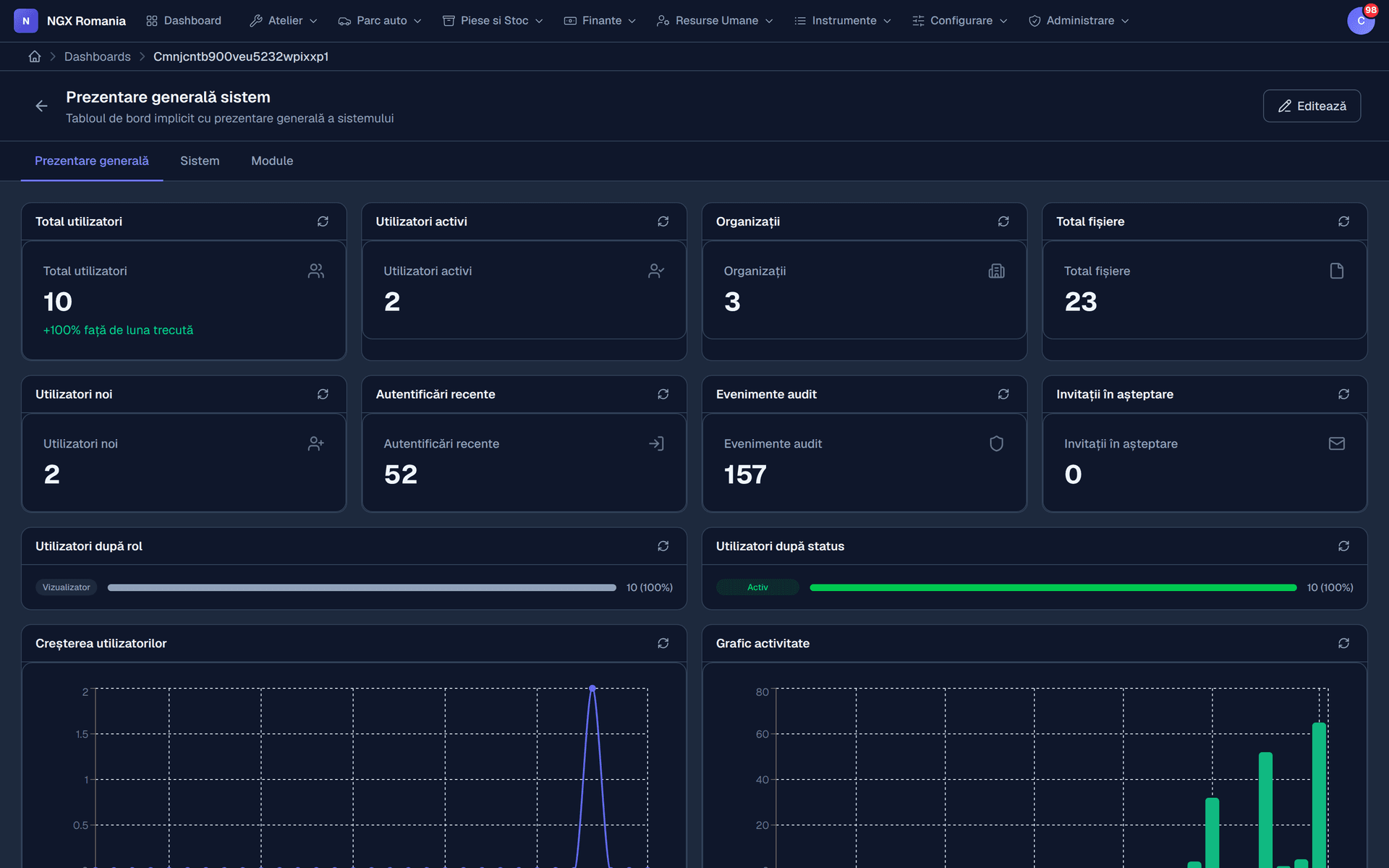
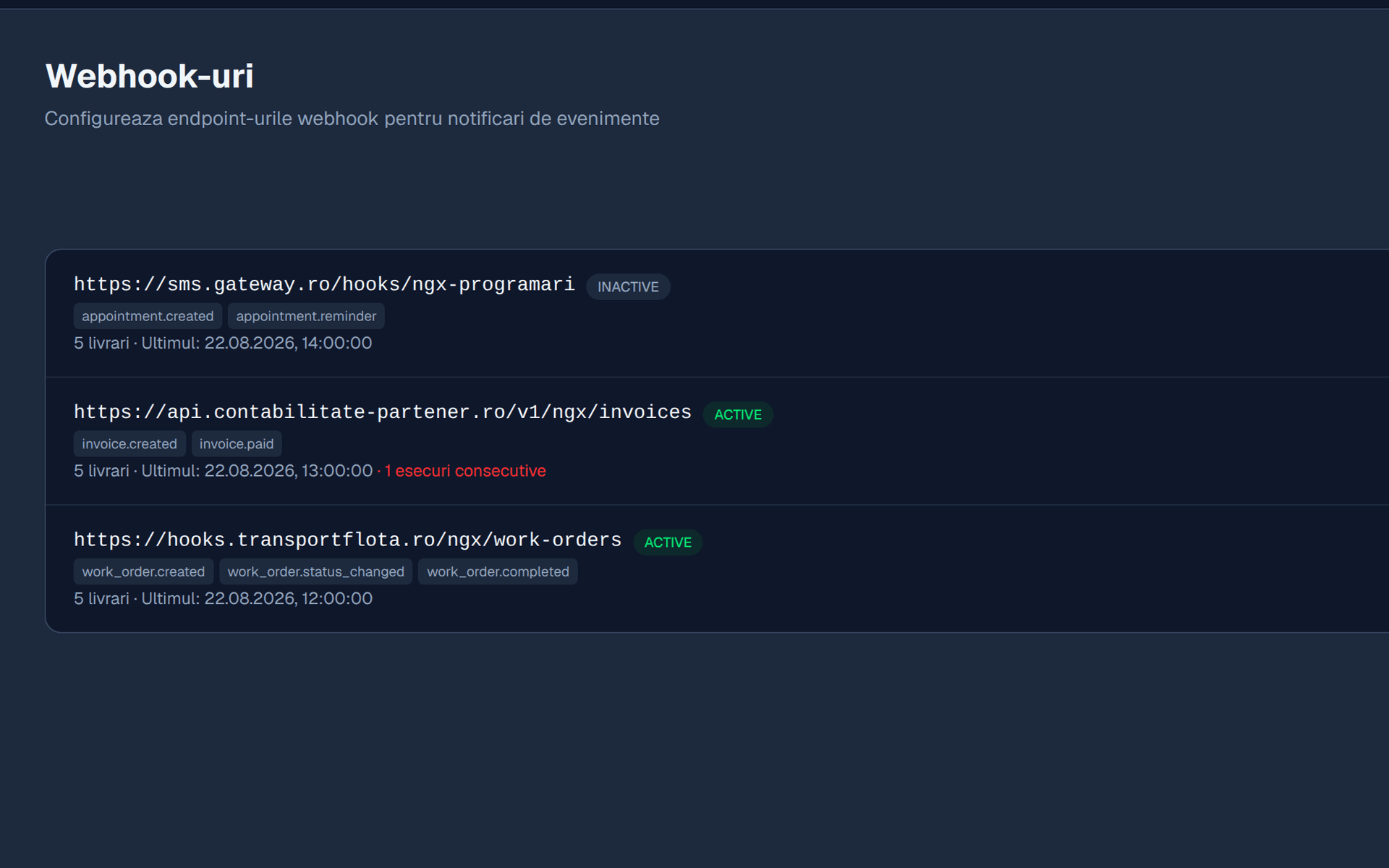
What changes
Same jobs, a different way of working
Appointments
- How it works now
- A notebook at reception and phone calls to find a free bay.
- With NGX
- A bay calendar with the mechanic assigned and automatic confirmation to the customer.
Estimates
- How it works now
- Called the customer, explained by phone, written on paper.
- With NGX
- Sent from the app, approved on a phone, recorded with date and time.
Invoicing
- How it works now
- Parts and labour retyped into another program.
- With NGX
- The invoice is generated from the work order, with no retyping.
e-Invoicing
- How it works now
- Export, manual upload, separate check.
- With NGX
- Submitted from the app, with the state shown on the invoice.
Vehicle history
- How it works now
- Searched through old receipts and the mechanic's memory.
- With NGX
- Every job, part and photo, tied to the registration number.
Customer asks if it's ready
- How it works now
- Someone stops working and goes to check.
- With NGX
- They see the status in the portal, with workshop photos.
| Same jobs, a different way of working | How it works now | With NGX |
|---|---|---|
| Appointments | A notebook at reception and phone calls to find a free bay. | A bay calendar with the mechanic assigned and automatic confirmation to the customer. |
| Estimates | Called the customer, explained by phone, written on paper. | Sent from the app, approved on a phone, recorded with date and time. |
| Invoicing | Parts and labour retyped into another program. | The invoice is generated from the work order, with no retyping. |
| e-Invoicing | Export, manual upload, separate check. | Submitted from the app, with the state shown on the invoice. |
| Vehicle history | Searched through old receipts and the mechanic's memory. | Every job, part and photo, tied to the registration number. |
| Customer asks if it's ready | Someone stops working and goes to check. | They see the status in the portal, with workshop photos. |
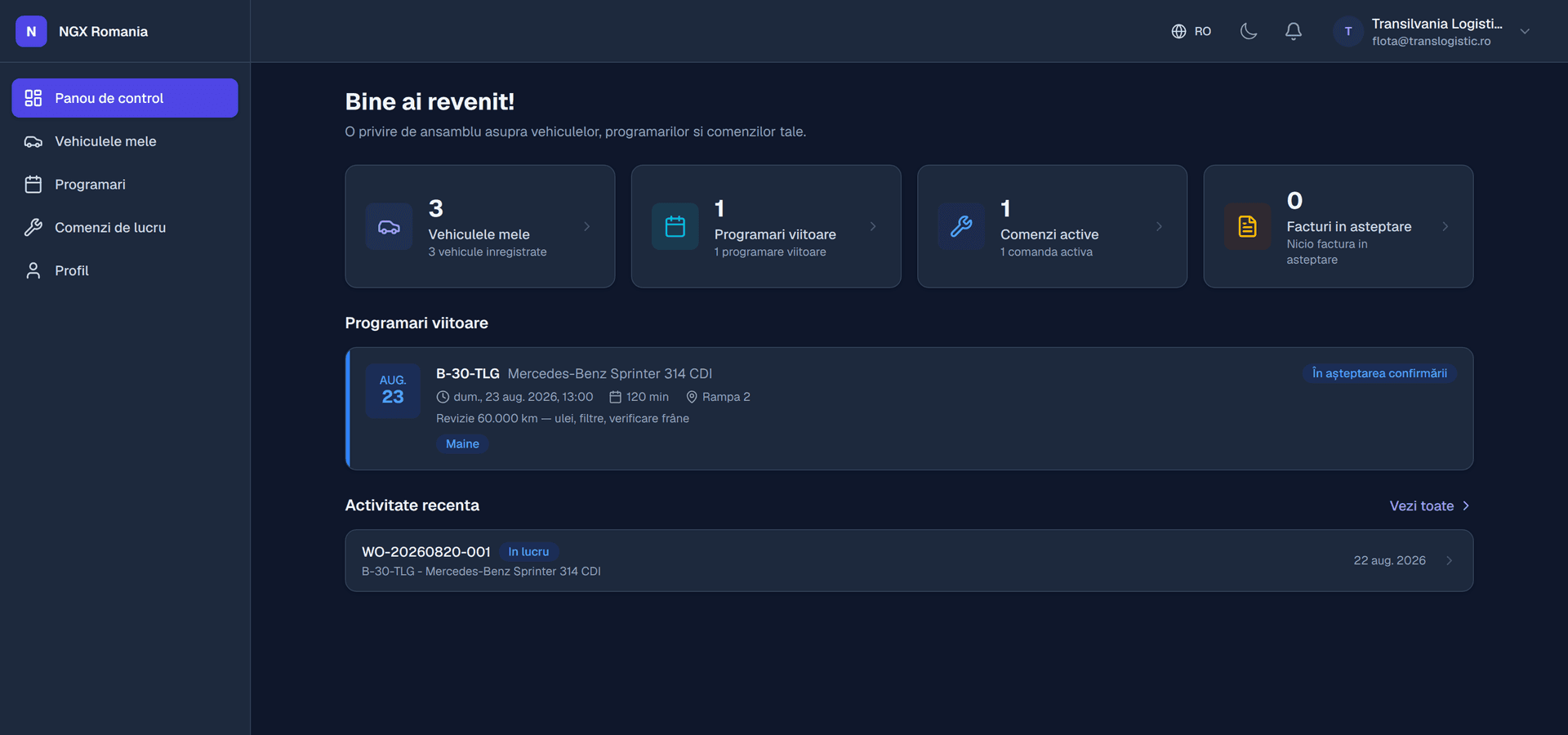
The customer portal
The portal that stops the check-up calls
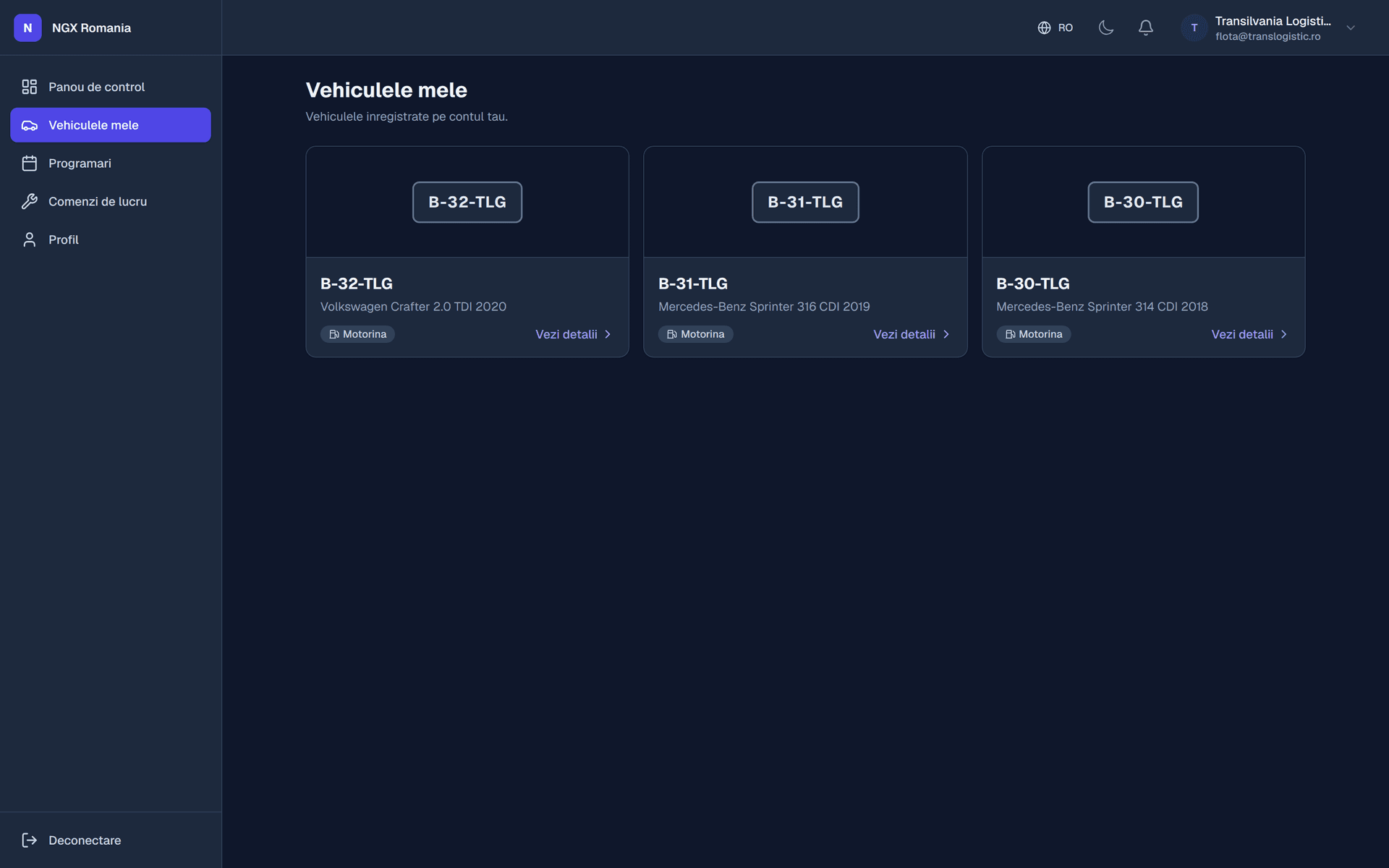
Your customer gets an account showing their vehicles, the jobs in progress, the estimate awaiting approval, documents to download and the full service history.
They can request an appointment, message reception and approve the estimate — without making a call and without interrupting anyone in the workshop.
- Works on a phone Nothing to install. An email link and they are in.
- Simple sign-in A password, or a magic link by email if they would rather not remember one.
- Automatic notifications Estimate to approve, job completed, car ready for collection.
Pricing
One monthly price, printed right here
No setup fee, no per-document charge, and no call required before you learn what it costs.
Start
For the small garage ready to leave the notebook and the spreadsheet behind.
RON 199/ month
Open the demo account- Bay appointments and work orders
- Customers, vehicles and service history
- Estimates sent to the customer for approval
- Invoicing, proformas, credit notes and payments
- e-Invoicing to the Romanian tax authority
- PDF document generator
- Up to 3 users
- Support by email and WhatsApp
Professional
For the workshop with several bays, its own parts store and customers who expect to see everything online.
RON 399/ month
Open the demo account- Everything in Start
- Customer portal with estimate approval
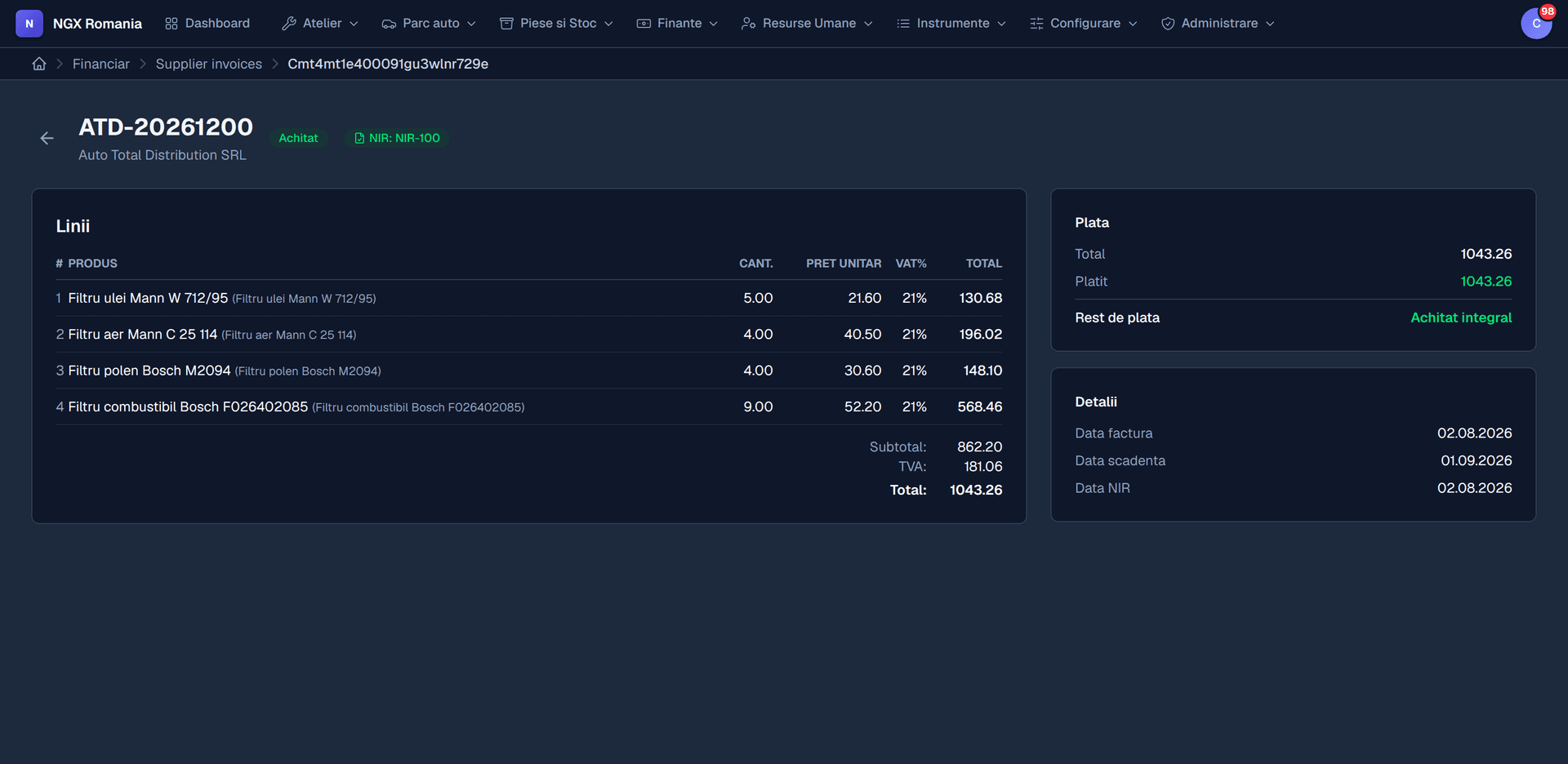
- Inventory, goods receipts and supplier invoices
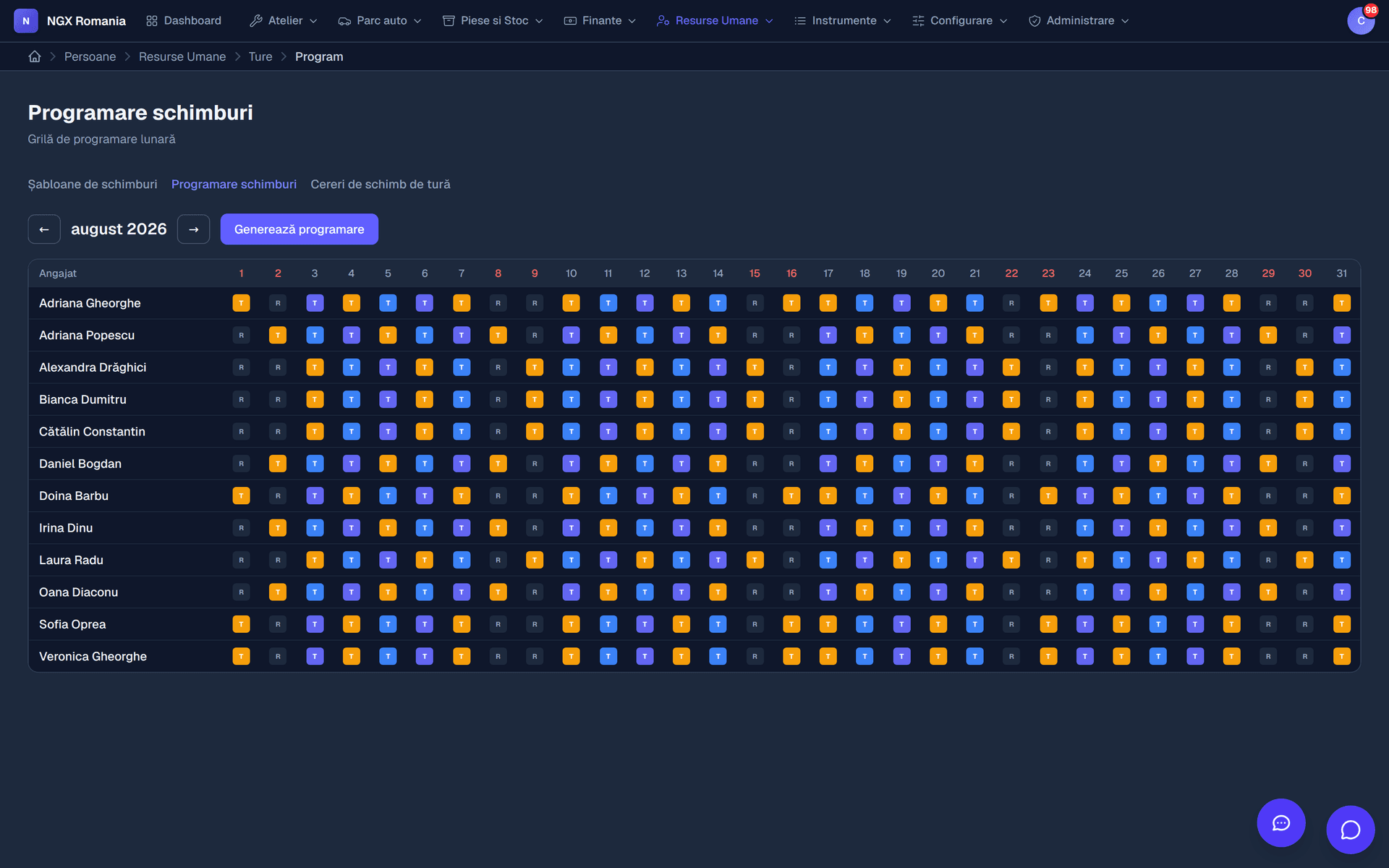
- Staff, timesheets, leave and shifts
- Your own public website
- Counter point of sale
- Dashboards and reports
- Up to 15 users
- Assisted onboarding
Enterprise
For workshop networks, fleets and integration with systems you already run.
On request
Request a quote- Everything in Professional
- Multiple locations, with separated data
- Unlimited users
- Webhooks and API keys for integrations
- Data import from your current system
- Document templates built together with you
- Service level agreement (SLA)
- A dedicated point of contact
Prices exclude VAT. Billing is monthly and can be stopped at any time.
No proof from others
We are a new company. Here is what we put in writing
NGX started in 2025, so we do not have ten years of references yet. In their place we put the things you can check.
- A Romanian company, on the public record
BEST WEB SYSTEMS S.R.L., VAT ID 52784580, registered in Bucharest. Every detail is in the page footer and can be verified at the trade register.
- The data stays yours
Export your customers, vehicles, work orders and invoices at any time in an open format, including on the day you decide to leave.
- No long-term contract
Billing is monthly. There is no minimum term and no penalty if you stop.
- See the app before you pay
The demo account opens the whole flow with test data. We do not ask for a card to let you in.
- Support in your language, directly
Support answers in Romanian and English, and does not pass through three tiers before it reaches someone who understands an estimate.
- E-invoicing is included, not an add-on
Submission to the tax authority is part of the application from the entry plan, not a separately priced module.
Frequently asked questions
What is NGX, in short?
A web application for running a car repair shop and everything around it: customers and vehicles, bay appointments, work orders with parts and labour, estimates sent to the customer for approval, workshop photos, invoicing and payments, parts inventory, electronic invoicing to the Romanian tax authority, staff and timesheets, a customer portal and customisable PDF documents.
What kind of workshops is it for?
From single-bay garages to workshops with dozens of bays and several locations. Modules are enabled separately, so a small shop starts with workshop management and invoicing only, while a larger one adds inventory, HR, point of sale and the customer portal.
Do I have to use every module?
No. Modules are enabled per company and the menu only shows what is active. The core — users, roles, settings, documents, notifications, email — is always present, and you switch on only the business modules you need.
How long before I can actually work in the app?
Going live means: create the company and invite users, set the invoice series, currency and VAT rates, add mechanics and bays, and then open your first work order. A small workshop gets through it in an afternoon with the data at hand.
What do I get in a demo account?
A separate environment on demo.ngx.ro, with your test data and the modules enabled, where you can walk through the whole flow: appointment, work order, estimate, invoice, portal. Nothing you do there touches real data.
Does the demo account cost anything?
No. It is free and we do not ask for card details. Use it to see whether the application fits the way you work.
How is the price calculated?
A monthly subscription per company, based on the modules enabled and the number of users. We take no commission on the invoices you issue and place no limit on the number of work orders.
How secure is my data?
Access is per individual account, with roles and permissions, optional two-factor authentication, account lockout after repeated sign-in attempts and an audit log of important actions. Every significant change is recorded, with author and timestamp.
Start today
See the app with your own hands, not in a slide deck
We open an account for you on demo.ngx.ro and you walk the whole flow yourself: appointment, work order, estimate, invoice, portal.
Free, no card details, no commitment.