The counter
Quick sales, without a work order.
Not every sale deserves a job sheet. For oil, bulbs, wipers or consumables, the sales terminal does the job in seconds — and reduces stock correctly.
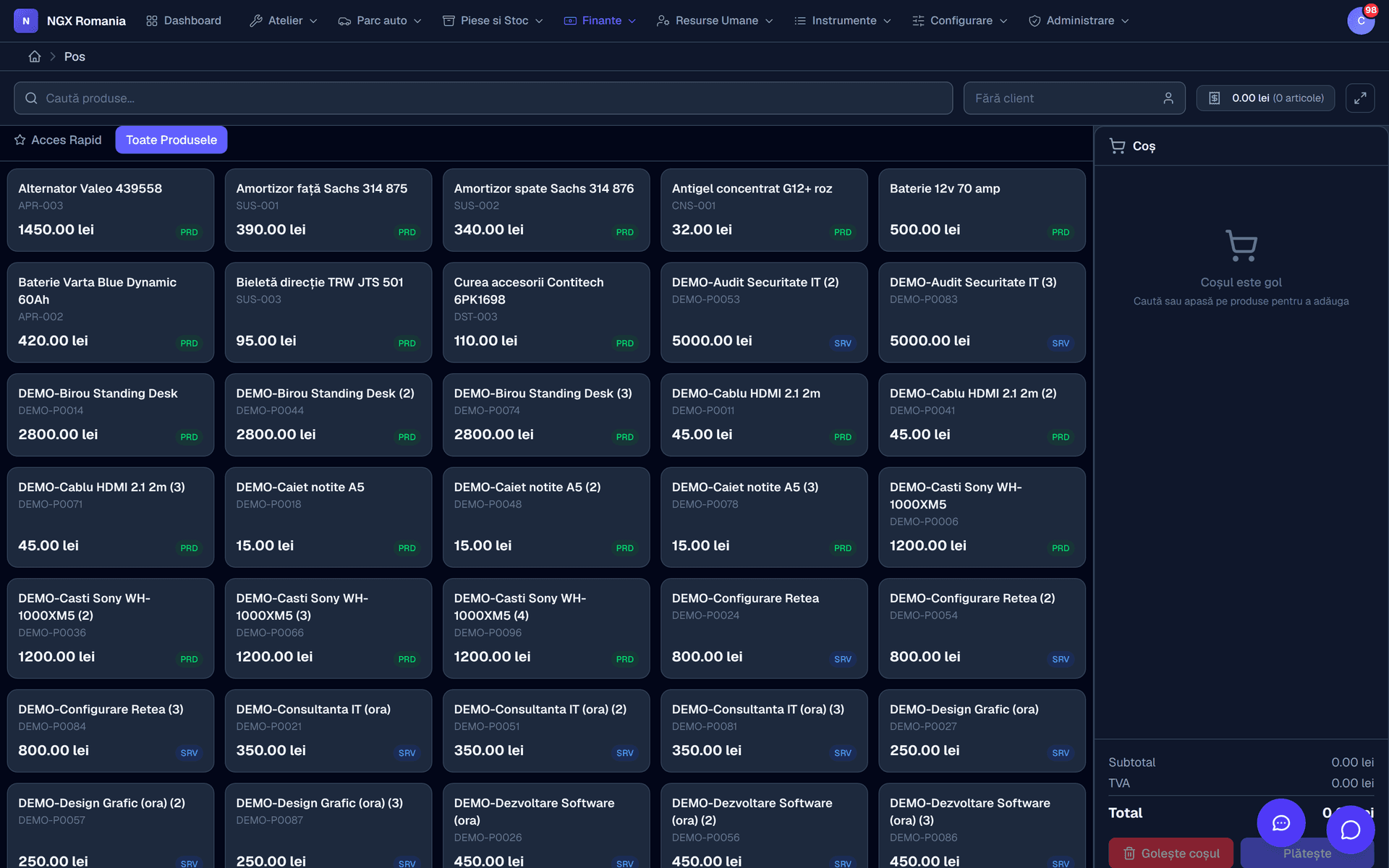
What one sale touches
A transaction reaches three records at once
A counter sale looks minor, but it touches the same records a work order does: it reduces the part's stock, enters the financial records and stays in the transaction history with everything it contained.
Without that, the oil sold across the counter only disappears from the store at stocktake, and by then the difference has no explanation.
- Stock drops immediately The same store the work orders draw from, not a parallel ledger.
- Split payments One transaction can be part cash, part card.
- Full history Every transaction reopens, with its lines and its payments.
When to use which
Counter or work order
What you sell
- Work order
- Labour and parts fitted to a car.
- Point of sale
- Goods the customer takes away.
How long
- Work order
- Hours or days, with statuses.
- Point of sale
- Seconds, on one screen.
Which documents
- Work order
- Estimate, job sheet, invoice.
- Point of sale
- Receipt or invoice, straight away.
Stock
- Work order
- Drops when the part is added to the order.
- Point of sale
- Drops when the transaction closes.
When you pick it
- Work order
- The car comes into the shop.
- Point of sale
- The customer buys and leaves.
| Counter or work order | Work order | Point of sale |
|---|---|---|
| What you sell | Labour and parts fitted to a car. | Goods the customer takes away. |
| How long | Hours or days, with statuses. | Seconds, on one screen. |
| Which documents | Estimate, job sheet, invoice. | Receipt or invoice, straight away. |
| Stock | Drops when the part is added to the order. | Drops when the transaction closes. |
| When you pick it | The car comes into the shop. | The customer buys and leaves. |
Setup
What to adjust before the first sale
- The quick-access categories and which product sits in each
- The payment methods you accept
- The document series used at the counter
- Who may sell and who may see the history
- The products shown by default, from the parts and services catalogue
- The VAT rate applied per category
What it includes
The sales terminal
- Category buttons you configure yourself
- Fast product search by name or code
- Basket with quantities and discounts
- Several payment methods on one transaction
- Automatic stock reduction
- Transaction history, with detail on each one
- A link to the financial records
- Works on a tablet too
Frequently asked questions
What is the point of sale for?
For quick counter sales — oil, bulbs, wipers, consumables — without opening a work order. The transaction reduces inventory and enters the financial records like any other sale.
How do I keep track of parts?
Parts enter inventory from supplier invoices through goods receipt notes, and leave automatically when added to a work order. You get stock movements, inventory adjustments and internal consumption notes, so the quantities in the app match the shelf.
Is the invoice created automatically from the work order?
Yes. From a completed order you press Generate invoice and the parts and labour move across with quantities, prices and VAT. Nothing is retyped, and the invoice stays linked to the order.
Can I limit what each employee sees?
Yes. There are global roles, from administrator down to viewer, plus roles within the company, and rights are granted on concrete permissions: who sees vehicles, who edits work orders, who issues invoices, who reaches settings. A mechanic can be restricted to their own jobs, without seeing purchase prices or invoices.