The core
Your workshop, visible at a glance.
The bay calendar shows which post is free and who is working. The work order holds everything: parts, labour, photos, messages, statuses. The mechanic works from a phone by scanning the QR code on the windscreen.
Appointments
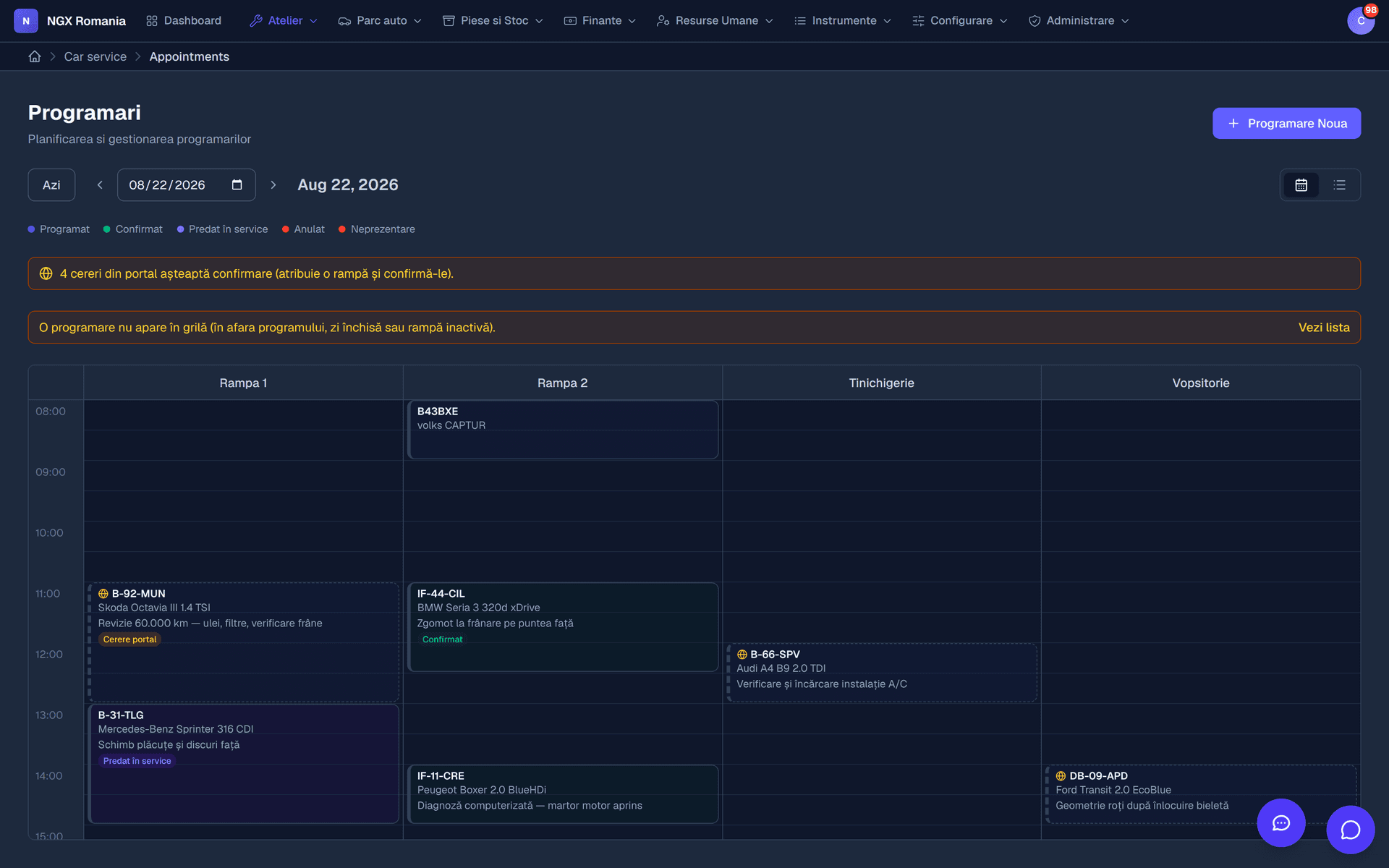
A calendar with one column per bay
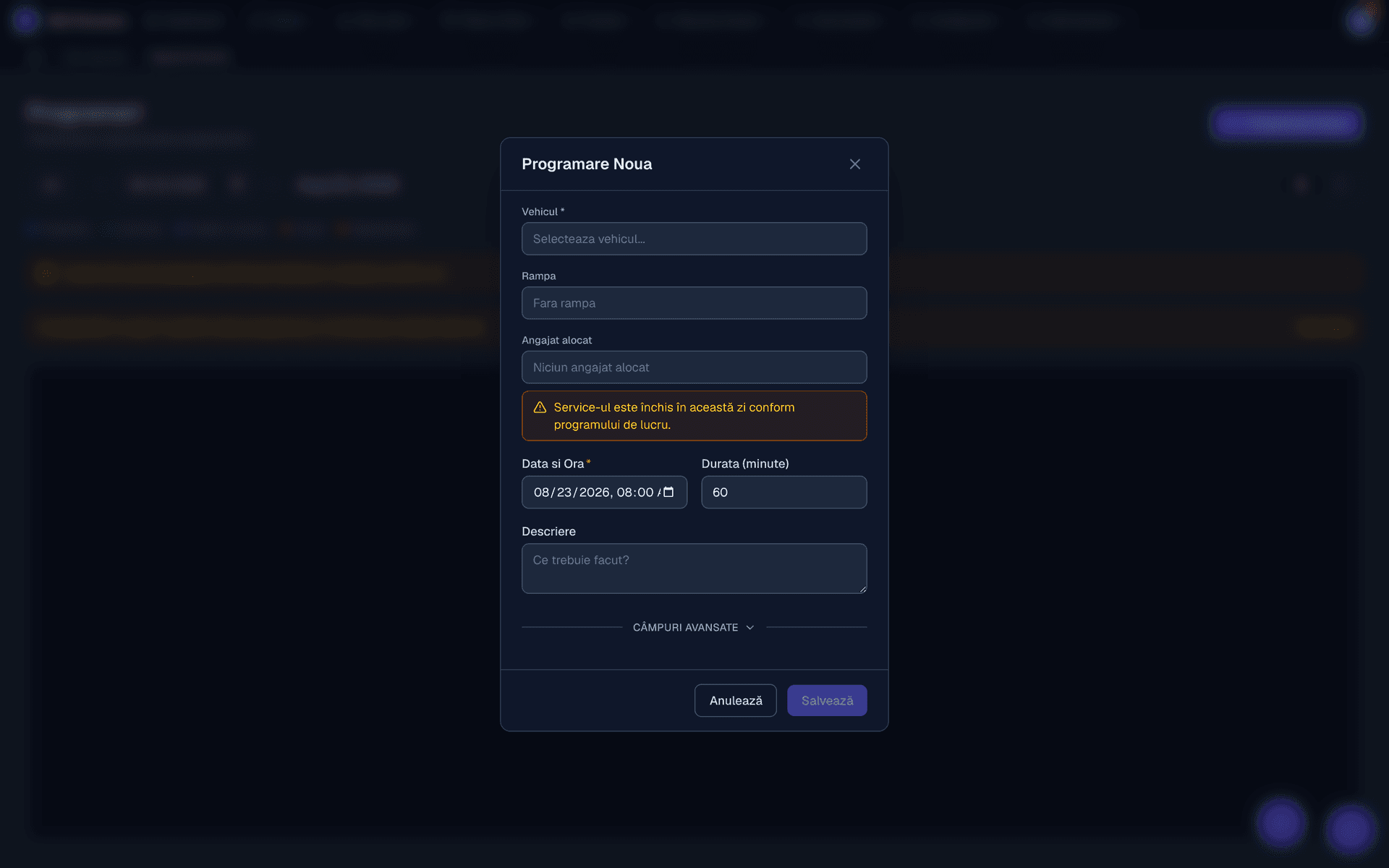
Every workstation has its own column. The appointment occupies the interval reserved for the vehicle, with the mechanic assigned, and overlaps are immediately visible.
When the car arrives, the appointment becomes a work order with a single button — the customer and vehicle details carry across automatically.
- Drag to reschedule move bookings in the calendar without reopening forms.
- Availability check the app warns you if the mechanic is on leave or already busy.
- Automatic confirmation the customer gets an email when the booking is confirmed.
Work orders
The job sheet holds everything that happened to the car
The work order has its own reference and gathers the parts lines (quantity × price) and labour lines (hours × rate), the photos and clips from the workshop, the messages with the customer and the full status history.
The total recalculates on every change, so the estimate — and later the invoice — always starts from correct figures.
- Parts from stock consumption reduces inventory automatically, at the real purchase price.
- Labour on a rate hours are multiplied by the rate of the department doing the work.
- Documents generated estimate, windscreen job sheet and invoice, from the same data.
The mechanic
The QR code on the windscreen leads straight to the job
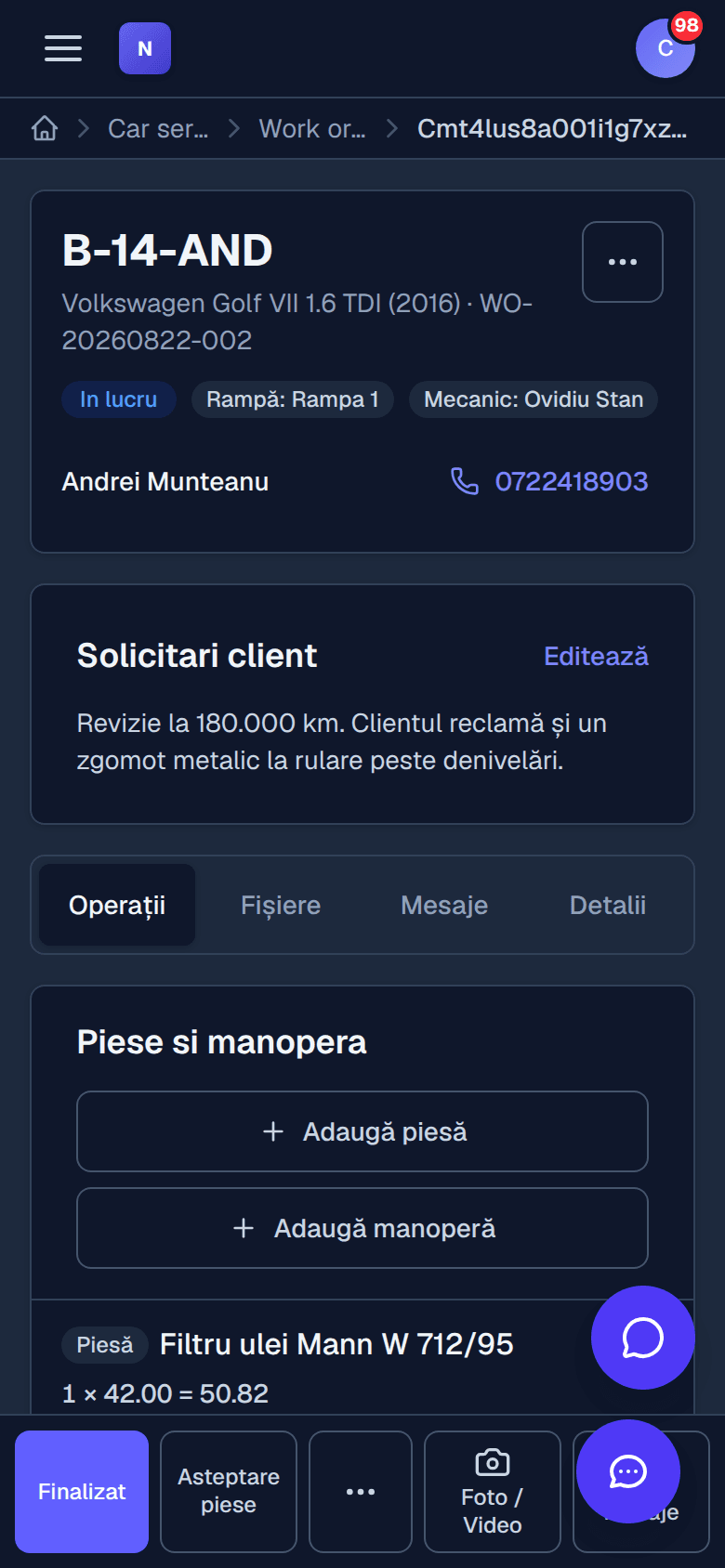
The printed job sheet carries a QR code. The mechanic scans it with a phone and lands on their work order, on a page made for a small screen and dirty hands.
From there they change the status, add parts and labour, photograph what they found and message reception. Nobody transcribes anything off paper in the evening.
- A page made for phones big buttons, only the actions they need.
- Photos and video evidence of the car's condition and the work done, attached to the order.
- Messages to reception without walking across the workshop.
Statuses
The life of a work order
- 01
Booked
The slot is reserved on the bay and the customer is confirmed.
- 02
In progress
The car is on the bay, parts and labour are being added.
- 03
Awaiting customer
The estimate has been sent. The job waits for an answer.
- 04
Completed
The work is done and the invoice can be issued.
- 05
Handed over
The car has left. The order moves into history.
Frequently asked questions
What do appointments look like?
A calendar with one column per bay, where an appointment occupies the interval reserved for a vehicle. You see at a glance which bay is free, move appointments by dragging, and when the car arrives you turn the appointment into a work order with a single button.
How does a job move from reception to handover?
The appointment becomes a work order, the order goes into progress, parts and labour are added, and once the total is ready it moves to awaiting customer for estimate approval. After approval it is completed, the invoice is generated, payment is recorded and the order is handed over. Every step leaves a trace in the history.
Does the mechanic have to sit at a computer?
No. The printed job sheet carries a QR code: the mechanic scans it with a phone and lands directly on the work order, where they change status, add parts and labour, upload photos and video from the workshop, and message reception.
Can I document the job with photos and video?
Yes. Photos and clips are uploaded straight onto the work order from a phone and stay attached to the job. They are your evidence of the condition the car arrived in and of the work performed — useful in any discussion with the customer.
What if the car comes back for the same problem?
You open a new order linked to the handed-over one, marked as a return visit. The history stays connected, so you immediately see what was done the first time, which parts were fitted and what warranty applies.
Open a work order in the demo
Walk the full cycle, from booking to handover, with test data.