Compliance
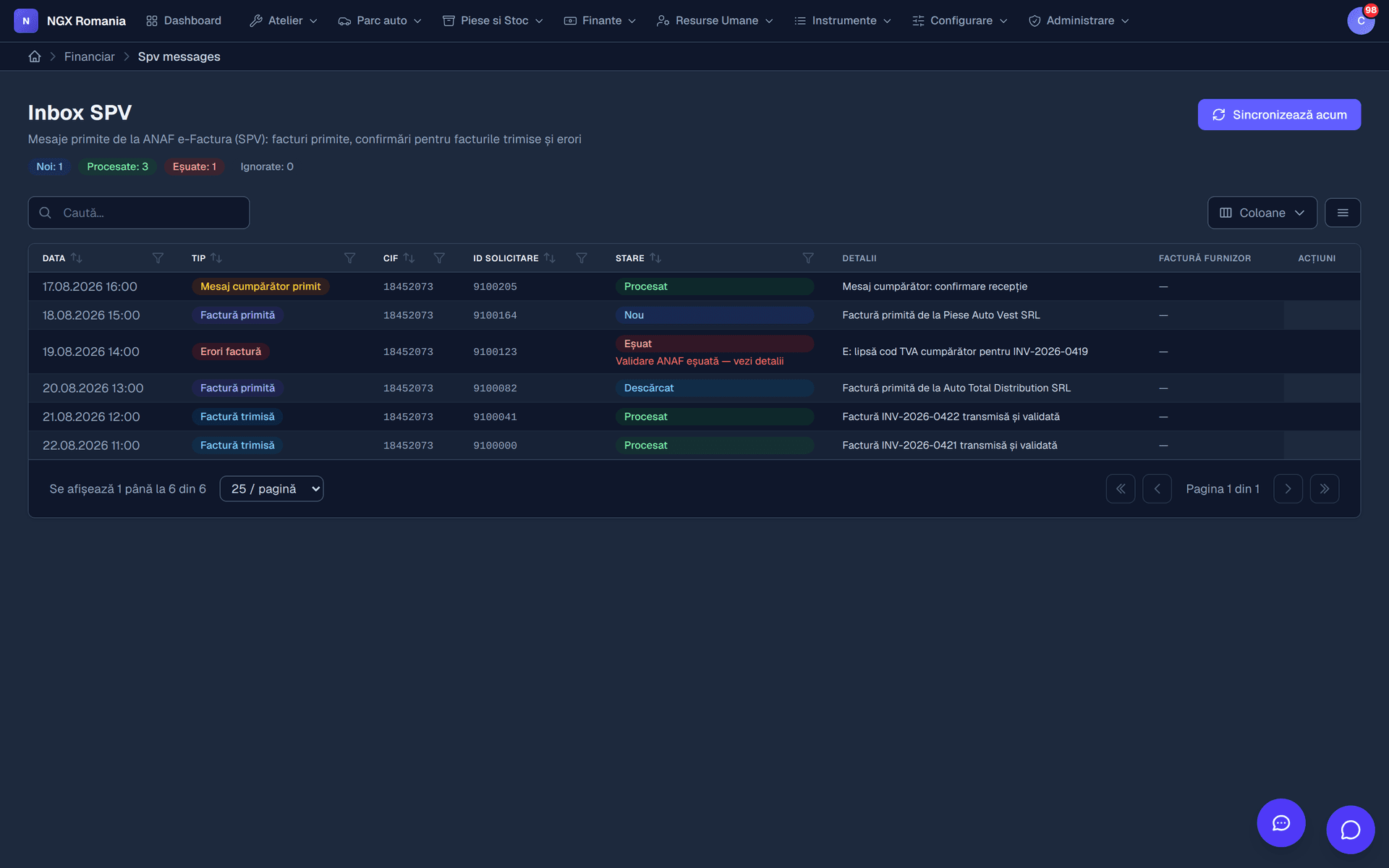
Invoices reach the tax authority straight from the app.
No export, no manual upload, no separate check that it went through. The issued invoice is converted into the required format and submitted, and its state stays visible on the document.
The flow
From invoice to confirmation
- 01
Invoice issued
With the customer's complete tax details.
- 02
Conversion
The document is converted into the format the authority requires.
- 03
Submission
It is sent to the tax authority's system from the app.
- 04
The state
Sent, accepted or rejected — visible on the invoice.
- 05
Closing
On acceptance the invoice is compliant. On rejection you correct and resubmit.
When something goes wrong
Rejections tell you exactly what to fix
Most rejections come from incomplete customer data: a wrong tax number, a missing address, an unsuitable VAT rate. The reason returned by the authority appears on the invoice, in readable language.
You correct the flagged fields and resubmit. You never build the file by hand and never keep a paper list of what went through and what did not.
- The reason is shown not an error code you have to look up.
- Resubmit from the same place after the correction, with one button.
- Submission history see what was sent, when, and with what result.
And the other direction
Supplier invoices
The purchasing side closes the loop: you record the invoice received from your parts supplier, receive the goods with a receipt note, and the parts enter inventory at their real purchase price.
From there they connect to consumption on work orders, so you can always compare what you charged with what it cost you.
- Goods receipt note quantities enter stock along with the document.
- Real cost per job the purchase price reaches the order where the part was fitted.
Frequently asked questions
Does NGX submit invoices to the tax authority?
Yes. An issued invoice is converted into the format required by ANAF and submitted to the Romanian tax authority's system directly from the app, and the submission state is visible on the invoice — sent, accepted or rejected, with the message received.
What happens if an invoice is rejected?
You get the rejection reason on the invoice. You correct the flagged data — usually the tax number, address or VAT rate — and resubmit. There is no need to leave the app and rebuild the file by hand.
Can I handle supplier invoices too?
Yes. Purchase invoices are recorded, received with a goods receipt note, and the parts enter inventory at their real purchase price. From there they connect to consumption on work orders.
See the e-invoicing flow in the demo
The demo account contains test invoices and the full submission flow.