The flagship
Your company's documents, built by you.
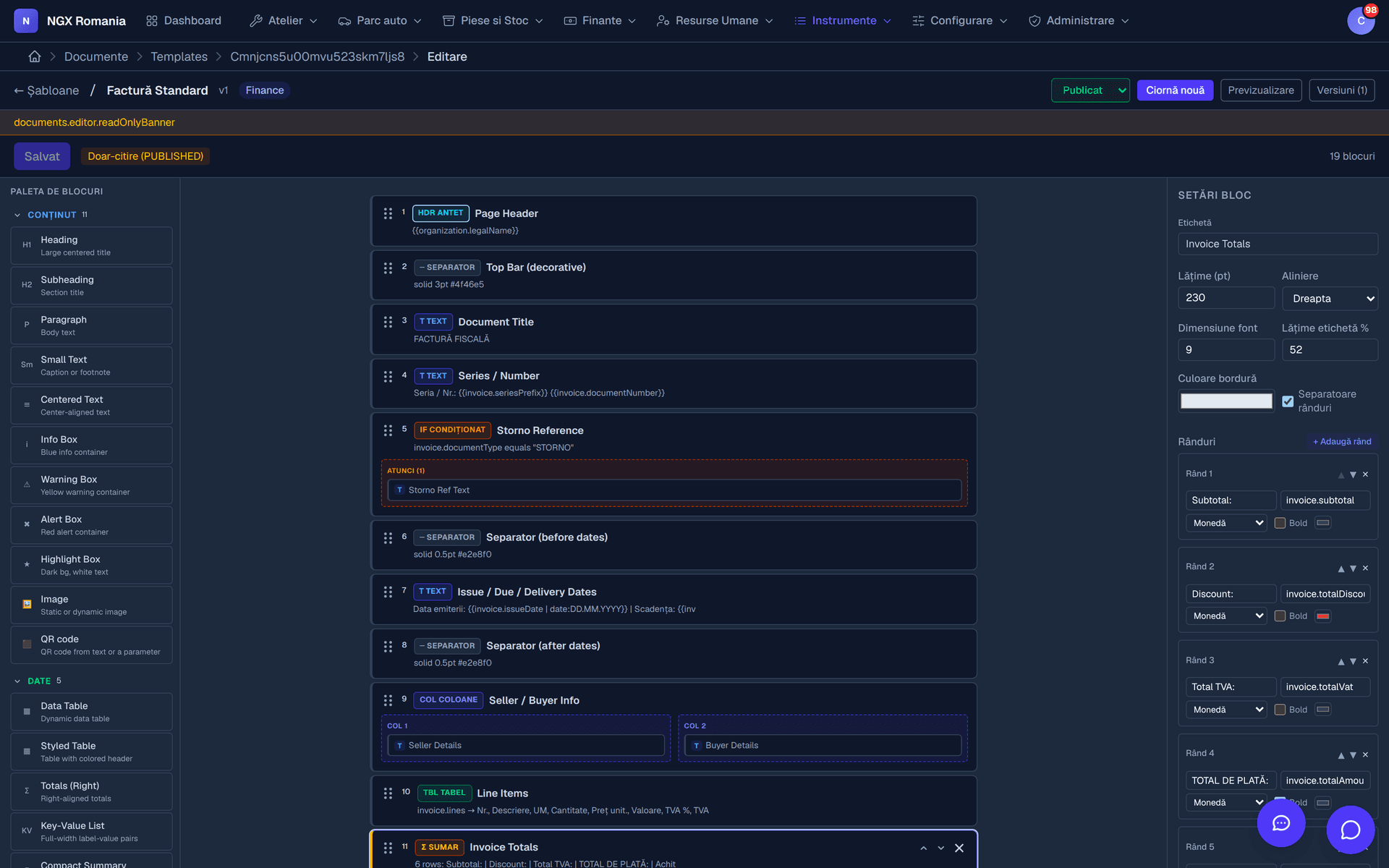
Every workshop has its own forms. In NGX you build your PDF documents yourself in a block editor, and the real data fills itself in. No development requests, no waiting on anyone.
How it works
A document is assembled from blocks
You open a new template, pick a category and start adding blocks. Each block has its own settings — alignment, colours, border, spacing — and can be moved around while you look for the right shape.
There is no code and no configuration file. What you see in the editor is what comes out of the printer.
- Text with its own background, border and padding — for clauses, warranties and notes.
- Table for parts and labour lines, with the columns you choose.
- Totals label-and-value rows with currency formatting, alignment and emphasis.
- Image, signature, header, footer plus divider, columns, page break and conditional blocks.
Parameters
Real data fills itself in
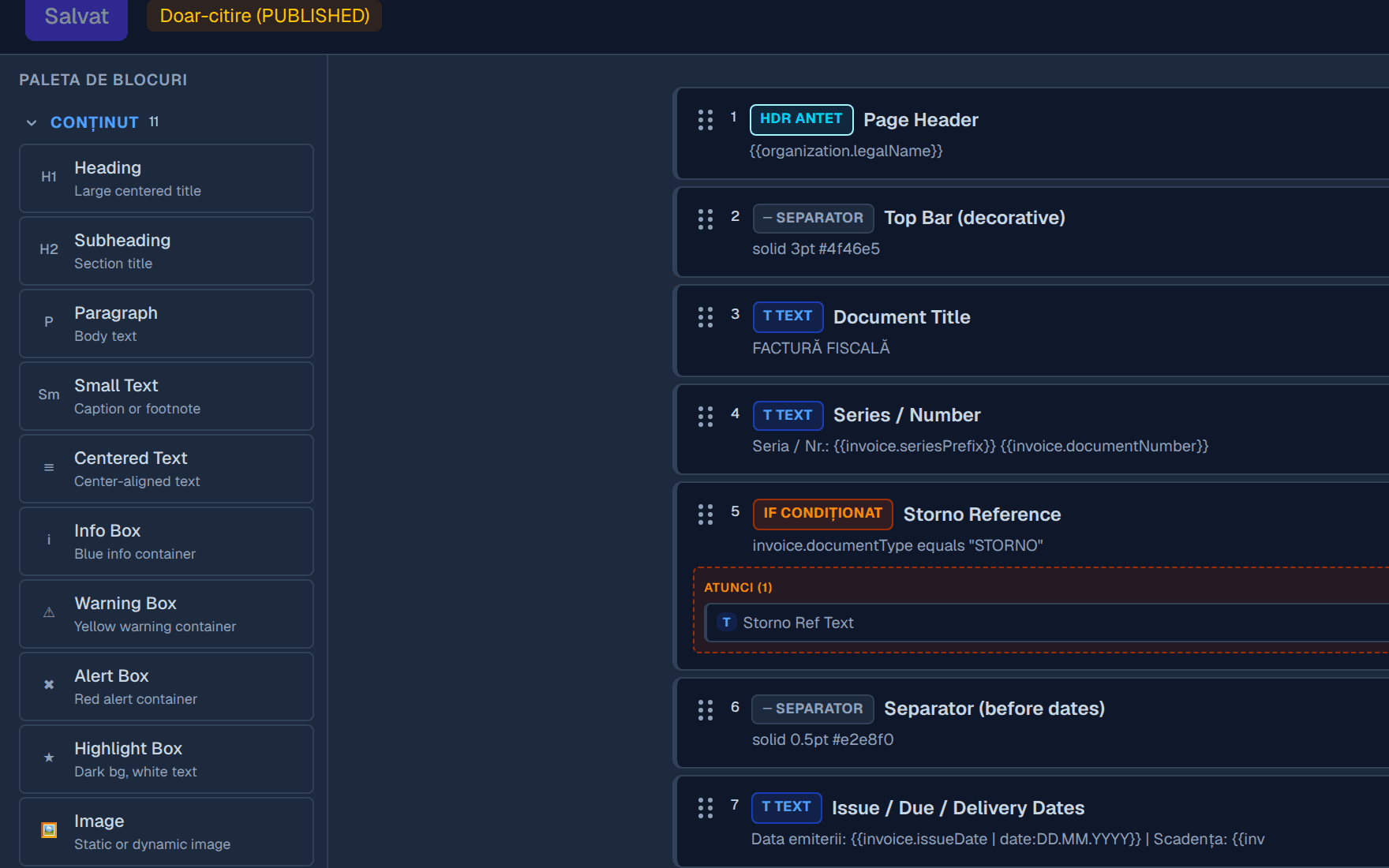
In any text you can insert a parameter chosen from a list: customer name, tax number, registration plate, work order reference, invoice total, your own company details, today's date.
At generation time, parameters are replaced with the real values of that document. One estimate template serves every job in the workshop, however many there are.
- Customer name, tax number, trade register, address, contact, bank details.
- Vehicle and work order registration, make, model, VIN, mileage, job reference.
- Invoice series and number, issue and due dates, currency, payment method, bank account, totals.
- Organisation your company details, exactly as in the official records.
The output
The document your customer receives
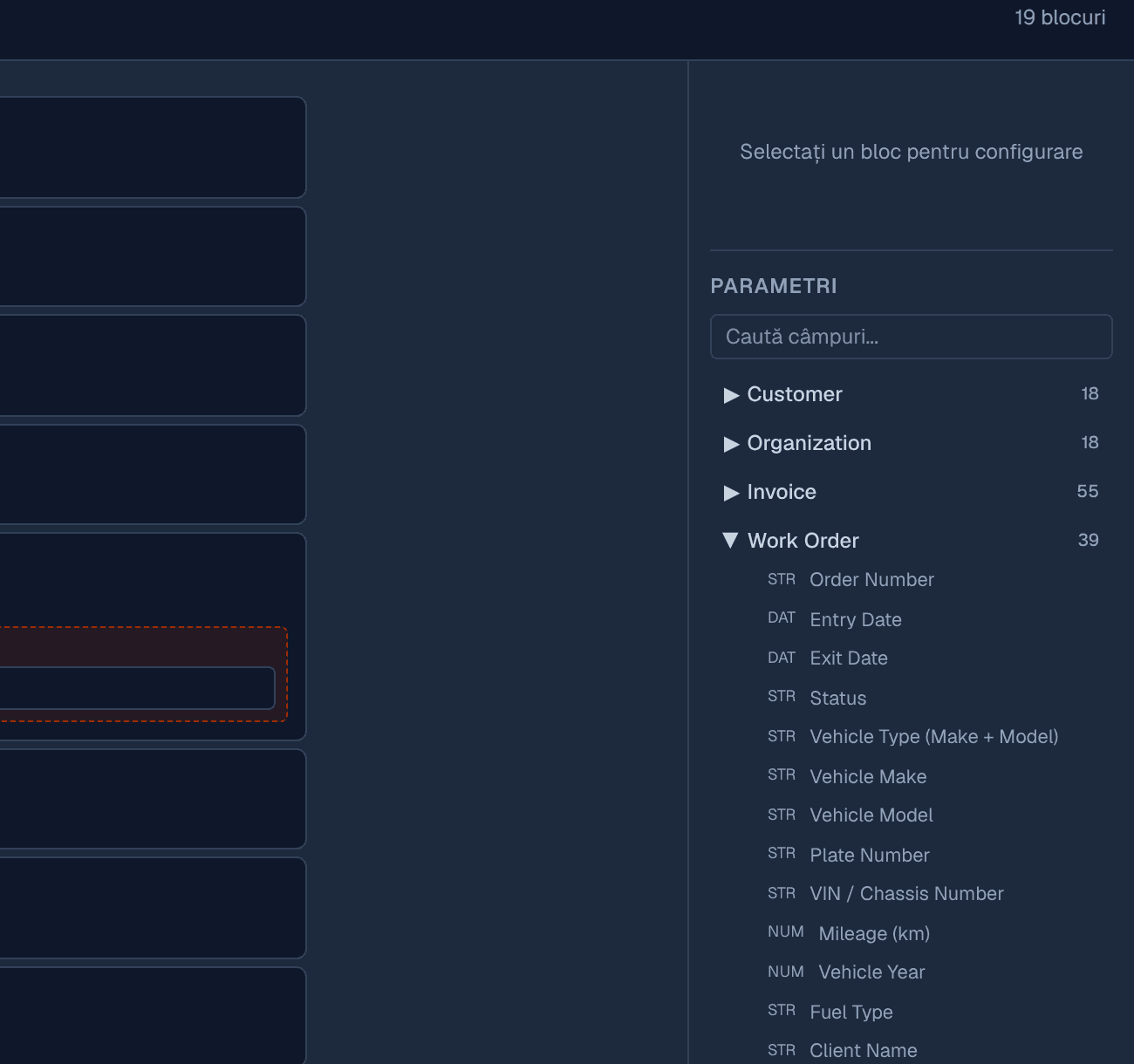
This is the PDF produced by the template above, on a real invoice: your letterhead, the seller and buyer blocks, the VAT lines, the totals and the signatures — all filled in automatically.
From draft to print
How a template reaches production
- 01
Draft
You create the template and work on it calmly. It appears nowhere until you say so.
- 02
Preview
Generate it against real data to see exactly how it prints.
- 03
Publish
Mark it published and it becomes available across the app.
- 04
New version
When you want a change, start a new draft. The published version keeps working.
- 05
Archive
Old templates are archived, not lost. Documents already issued stay intact.
What you can build
The everyday documents of a workshop
- Estimate sent to the customer for approval
- Windscreen job sheet with a QR code to the work order
- Fiscal invoice, proforma and credit note, with your letterhead
- Vehicle handover and collection report
- Warranty certificate for parts and labour
- Quotation for business customers and fleets
- Internal parts consumption note
- Certificates and internal personnel documents
- Service contract
- Goods receipt note
Why it matters
The difference from a fixed form
Changing a line of text
- Fixed form in the software
- Ask the vendor for a change and wait.
- NGX template
- Edit it yourself in two minutes.
Adding your logo
- Fixed form in the software
- Usually impossible or chargeable.
- NGX template
- Upload it into the header block.
A different format for a large customer
- Fixed form in the software
- Not possible — there is only one form.
- NGX template
- Duplicate the template and adjust it.
Making a mistake
- Fixed form in the software
- The wrong document goes out to customers.
- NGX template
- You work on a draft and publish only when it is right.
Needing a brand-new document
- Fixed form in the software
- A development project.
- NGX template
- A new template, built by you.
| The difference from a fixed form | Fixed form in the software | NGX template |
|---|---|---|
| Changing a line of text | Ask the vendor for a change and wait. | Edit it yourself in two minutes. |
| Adding your logo | Usually impossible or chargeable. | Upload it into the header block. |
| A different format for a large customer | Not possible — there is only one form. | Duplicate the template and adjust it. |
| Making a mistake | The wrong document goes out to customers. | You work on a draft and publish only when it is right. |
| Needing a brand-new document | A development project. | A new template, built by you. |
Frequently asked questions
What does the document generator actually do?
It is an editor where you build your own PDF documents: invoice, estimate, job sheet, handover report, certificate, quotation. You add blocks — text, table, image, totals, signature, header, footer — and insert parameters that fill themselves in with real customer, vehicle or invoice data.
Do I need to know how to code?
No. You work visually, adding and rearranging blocks. Parameters are picked from a list — customer name, registration number, invoice total — and inserted into the text like any other word.
Can I keep several versions of the same document?
Yes. Every template has a draft and a published version, so you can work calmly on a new variant while the workshop keeps printing the current one. Templates can also be duplicated if a large customer needs a different format.
Will documents carry my company's letterhead?
Yes. The header, footer, logo, colours and fixed text are yours. The printed document looks like it belongs to your company, not to your software supplier.
Build your first document in the demo
The demo account comes with ready-made templates you can duplicate and modify, to see how far you can take the format.