Parts store
The parts in the app are the parts on the shelf.
Goods come in from the supplier invoice and go out on the work order. No parallel records, and no discovering at stocktake that things have been missing for months.
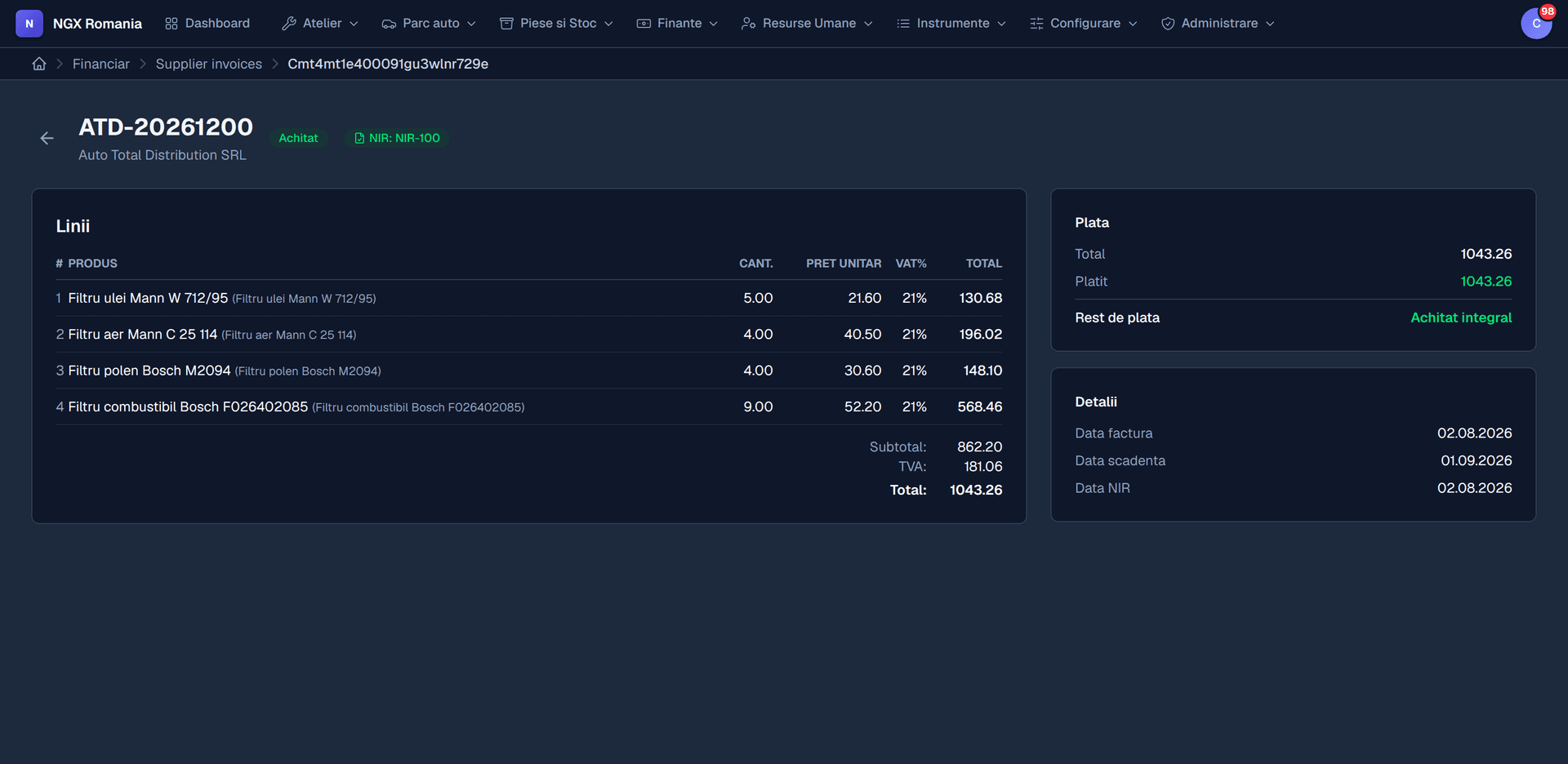
The life of a part
From supplier to customer invoice
- 01
Supplier invoice
Recorded with the parts and prices received.
- 02
Goods receipt
You generate the receipt note and the quantities enter stock.
- 03
Fitting
The part is added to the work order and leaves the store automatically.
- 04
Customer invoice
The part appears on the invoice at your selling price.
- 05
Margin
Compare purchase price with what was charged, on every job.
What else you can do
Store operations
- Stock movements with full history and a reason
- Adjustments for stocktakes, with justified differences
- Consumption notes for materials used internally
- Supplier invoices with partial receipt
- Supplier payments and balances
- Parts catalogue with your own codes and manufacturer codes
- Purchase and selling prices per part
- Low stock alerts
From receipt to margin
The purchase price travels with the part
When you receive the supplier invoice, the part enters stock at the price you actually paid. When the mechanic fits it to a work order, that price goes with it.
The result is a figure few workshops have: what you actually made on that job, after the parts it consumed. Not an estimate at month end, but a number on every job sheet.
- Goods receipt on arrival Quantities enter stock along with the supplier's document.
- Automatic issue A part added to an order leaves the store with no separate step.
- Margin per job Charged minus cost, on every work order.
What it records
Store operations
- Supplier invoices, with partial receipt when goods arrive in batches
- Goods receipt notes generated from the invoice
- Stock movements with reason, date and author
- Inventory adjustments, with the differences justified
- Consumption notes for materials used internally
- Supplier payments and remaining balances
- Your own codes and manufacturer codes on every part
- Alerts when stock falls below the level you set
Frequently asked questions
How do I keep track of parts?
Parts enter inventory from supplier invoices through goods receipt notes, and leave automatically when added to a work order. You get stock movements, inventory adjustments and internal consumption notes, so the quantities in the app match the shelf.
Can I see how much I make on a job?
Yes. Because the purchase price comes from the supplier invoice and labour comes from the department's hourly rate, you can compare revenue with real cost on every work order.
Can I handle supplier invoices too?
Yes. Purchase invoices are recorded, received with a goods receipt note, and the parts enter inventory at their real purchase price. From there they connect to consumption on work orders.
Is the invoice created automatically from the work order?
Yes. From a completed order you press Generate invoice and the parts and labour move across with quantities, prices and VAT. Nothing is retyped, and the invoice stays linked to the order.
Follow a part through the demo
From the supplier invoice to the margin calculated on the work order.